26
STAR TRAC PRO STEPPER O
WNER
’
S
M
ANUAL
P
REVENTATIVE
M
AINTENANCE
With durable, high performance components, the STAR TRAC PRO STEPPER is designed for heavy usage with minimal main-
tenance required. To keep your Stepper in top condition, Star Trac strongly recommends performing the regular daily, weekly and
monthly preventive maintenance routines outlined below. Any unusual symptoms, such as a loud continuous noise during opera-
tion, should be reported to STAR TRAC PRODUCT SUPPORT DEPARTMENT at (800) 503-1221, or USA 1-714-669-1660.
DAILY MAINTENANCE
■
Remove excessive accumulations of dust, dirt, and other substances by using a clean, soft cloth and a non-abrasive liquid clean-
er, such as Formula 409
TM
or FANTASTIK
TM
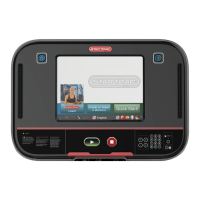
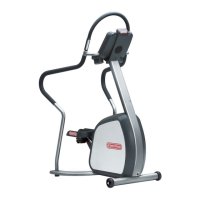
. Wipe down the exterior of the display panel, hand rails, pedals, shrouds and heart
rate grips.
NOTE: DO NOT spray the cleaner directly onto the Display Panel or heart rate grips.
WEEKLY MAINTENANCE
Perform the following services each week:
■
Vacuum the floor under and around the Stepper. Move the Stepper to another spot, if necessary, to vacuum thoroughly.
■
Inspect the Display Panel mounting screws for security, and retighten if necessary.
■
Inspect the Display Panel keypads for wear.
MONTHLY MAINTENANCE
Perform the following services each month, or as needed:
■
Check that the pedals and shrouds are secure.
■
Check the hand rails for looseness. Tighten screws as necessary.
■
Check for smooth and quiet operation of all moving parts.
M
ANAGER
/ M
AINTENANCE
M
ODE
After using your STAR TRAC PRO STEPPER for a period of time, you may wish to change some of its settings.
MANAGER MODE
The Manager Mode lets you query and modify the basic settings of your Stepper. To enter Manager Mode:
1. Press and hold the
,
and keys together.
2. A beep will sound and “MANAGER MODE” will display momentarily in the Information Window.
3. Release all keys. “SERIAL NO #####” will display in the Information Window.
NOTE: The system will automatically exit Manager Mode if no key is pressed for 30 seconds.
The following keys are used to modify settings in MANAGER MODE:
Upper and Lower Data Information Window S
CROLL Keys: Display the next and previous parameters,
respectively.
Increase and Decrease LEVEL Keys: Adjust the value of the displayed parameter up and down, respectively,
in increments of 1 unit. These keys do not save the new value - see OK Key below.
Numeric Keypad: Allows you to enter specific values for numeric parameters. These keys do not save the new
value - see OK Key below.


 To Next Page