Moneris Go Appétit: Hardware Installation Guide 7
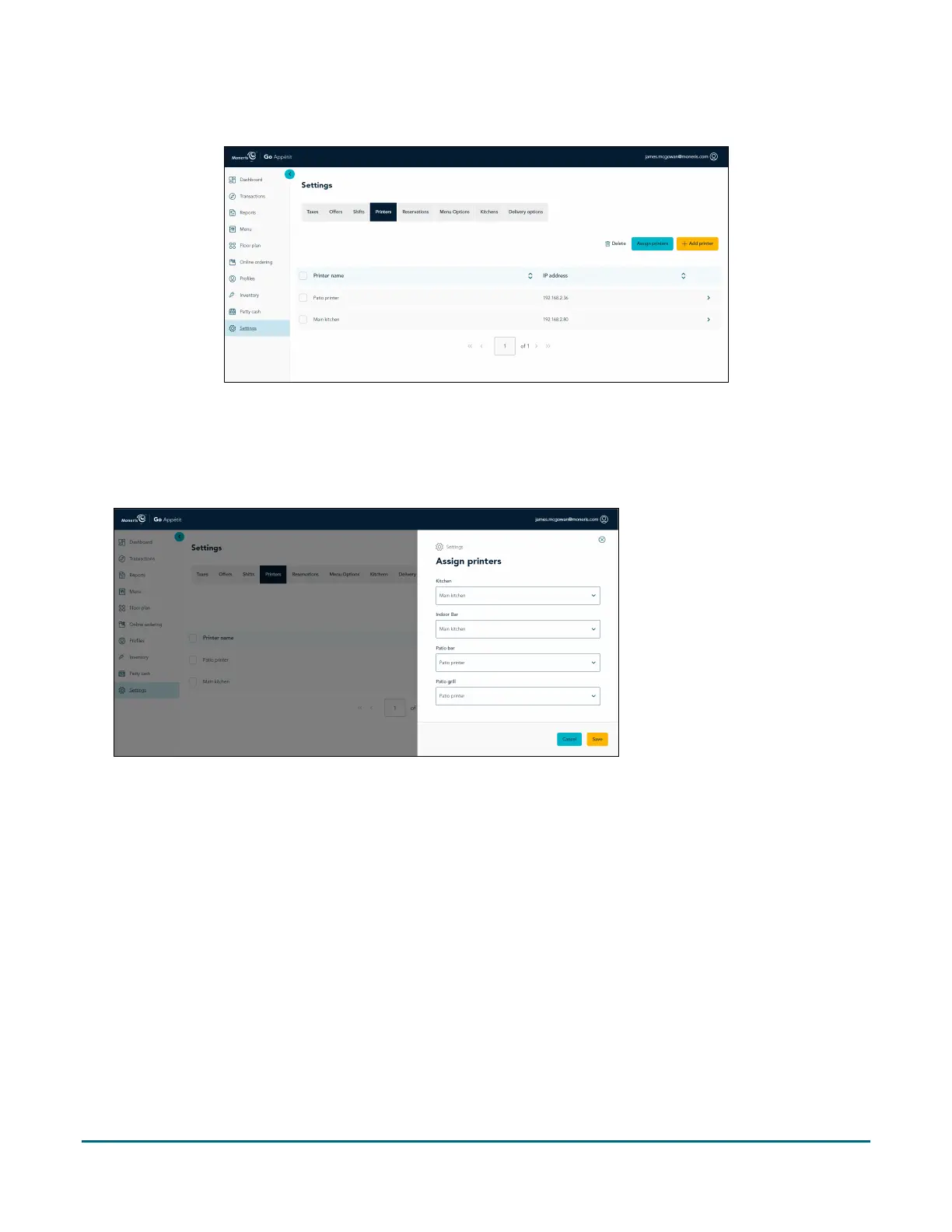
1. In the portal, click the Printers tab on the Settings screen.
2. Click the Assign printers button.
3. In the Assign printers panel, for each kitchen listed, click the drop-down menu and select the printer to
which you will route the orders.
4. When finished, click the Save button.
A popup confirmation appears.
Congratulations! You are now ready to print order tickets from your kitchen printers.


 To Next Page