
EasyManua.ls Logo

Star SP700 - User Manual

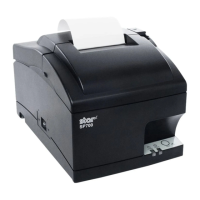
Star SP700
15 pages
Print Icon
To Next Page IconTo Next Page
Loading...
(05/2022)
Moneris Go Appétit
Hardware Installation Guide

Questions and Answers

  • H
    hunderwoodAug 4, 2025
    Why are kitchen tickets not printing on my Star Touch terminals?
    • S
      Scott BartonAug 4, 2025
      If kitchen tickets are not printing when orders are received on your Star Touch terminals, it's likely that your Kitchen Display tablets are not on the same Wi-Fi network as your printer. To resolve this, first, make sure you have the IP address from the receipt printed during the printer setup. Then, open your kitchen tablet’s Settings page and find the Wi-Fi settings to locate the IP address. Check if the first three sets of numbers in the IP address on the receipt match the first three numbers of the IP address on the tablet’s screen. If they don't match, try changing the Kitchen Display tablet to a different network and comparing the IP addresses until they are on the same network.
  • B
    Bryan ArnoldAug 20, 2025
    What to do if Star Touch terminal printer is printing but nothing is visible?
    • R
      ryanpetersAug 20, 2025
      If your Star Touch terminal printer is printing and feeding paper, but the printing isn't visible, the ribbon may be installed incorrectly or the section of the ribbon being used is dried out. To fix this: 1. Power off the printer. 2. Open the printer lid and the front panel to access the ribbon. 3. Ensure the ribbon is correctly situated with the black portion on top and the red portion on the bottom, positioned between the print head and the paper. 4. Optionally, turn the blue knob on the ribbon cartridge clockwise to advance the ribbon. 5. Close the front panel and the lid. 6. Hold the FEED button while powering the printer back on. The printer will print two long receipts. If you see printing, it's working.

Summary

Setting Up Your Hardware

Before You Get Started

Ensure portal access, a suitable location, and network connectivity before beginning hardware installation.

Setting Up the Kitchen Printer

Instructions for installing and configuring the kitchen printer, including hardware setup and portal integration.

Enable Printer in Portal

Steps to enable the installed kitchen printer within the Moneris Go Appétit portal.

Assign Printer to Kitchen

Final step to assign the configured printer to a specific kitchen for order routing.

Troubleshooting Printer Issues

No Visible Printing on Paper

Troubleshooting steps for when the printer feeds paper but no text is visible, often due to ribbon issues.

Kitchen Tickets Not Printing

Diagnosing and resolving issues where kitchen tickets fail to print, usually network connectivity related.

Merchant Support

Getting Assistance

Information on how to access support resources, contact customer care, and find online help.

Star SP700 Specifications

General IconGeneral
BrandStar
ModelSP700
CategoryTouch terminals
LanguageEnglish

Related product manuals






