
 Need help?
Do you have a question about the STARLINK Wedge and is the answer not in the manual?
General requirements and considerations for installing the Starlink system in various environments.
Essential safety precautions to prevent injury, electric shock, and fire during installation and operation.
Guidelines for protecting the Starlink system from lightning strikes and power surges.
Guidance on selecting a suitable location and choosing appropriate hardware for mounting the Starlink.
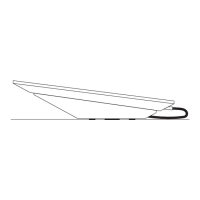
List and identification of all components included in the Starlink Wedge Mount Kit for installation.
List of tools and hardware that may be required for specific installation scenarios.
Step-by-step instructions for mounting the Starlink using machine screws and nuts.
Step-by-step instructions for mounting the Starlink using lag bolts on wood surfaces.
Step-by-step instructions for mounting the Starlink using blind hole nuts and machine screws.
Instructions for routing the Starlink cable through an exterior surface using the provided cable pass-through kit.
Final steps for attaching the Starlink dish to the installed mount and connecting the cable.
 General
| Brand | STARLINK |
|---|---|
| Model | Wedge |
| Category | Racks & Stands |
| Language | English |

 To Next Page
