Instruction Manual
3
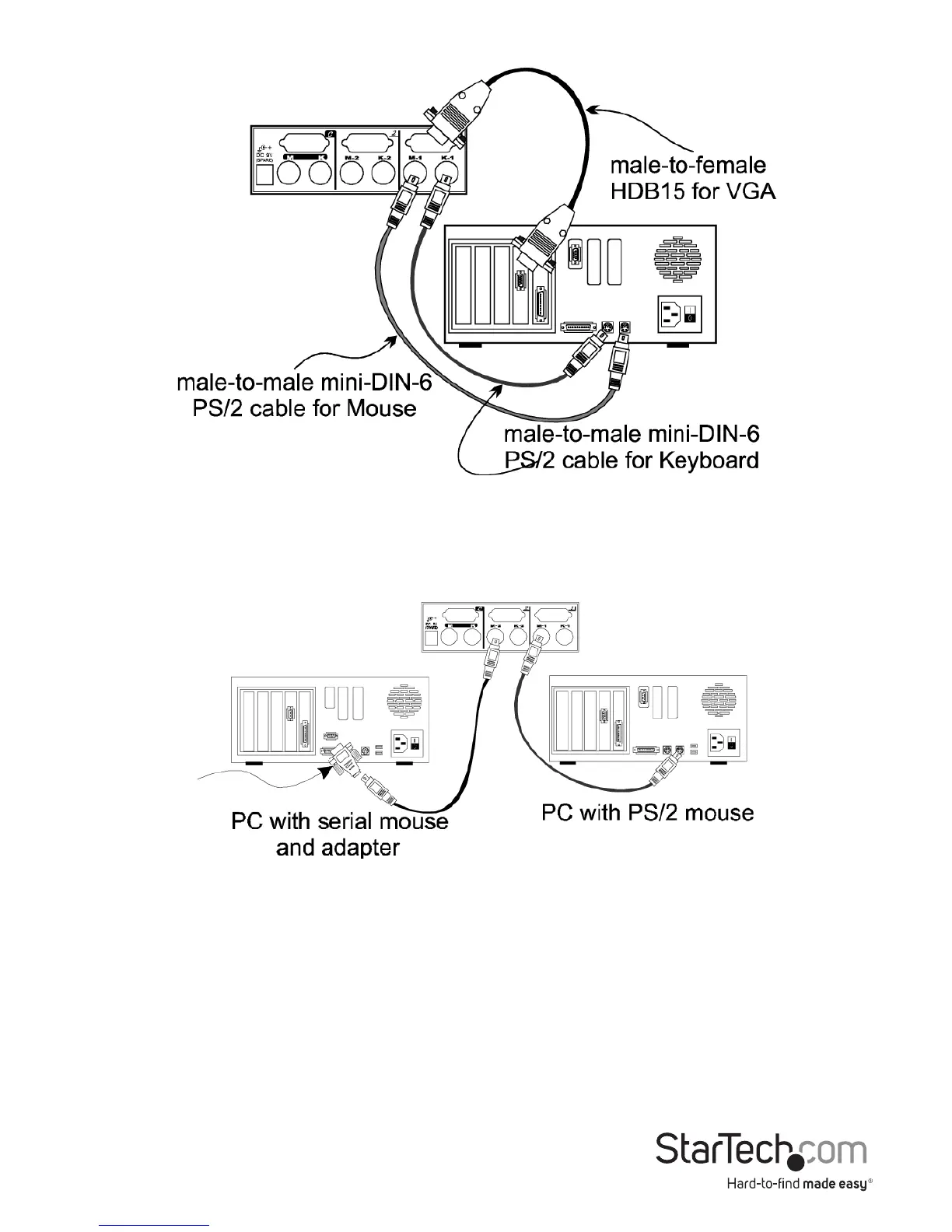
If your computer incorporates a serial mouse, a mouse adapter should be connected to
the computer’s mouse port as shown in gure 3.
(Note: use only the mouse adapter supplied with the SV231)
NOTE:
1. The StarTech.com SV231’s automatic mouse conversion system allows you to
connect computers using serial mice.
2. The mouse adapter can only be used on the PC side and will not work on the
CONSOLE side.
3. If your PC uses an AT style keyboard, you will need an “AT-to-PS/2 keyboard
adapter” at the PC side.






 To Next Page