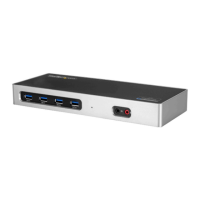
Instruction manual
i
Table of Contents
Introduction ......................................................................................................... 1
Package contents ...................................................................................................................................... 1
Requirements ............................................................................................................................................. 1
Product diagram .................................................................................................2
Front view .................................................................................................................................................... 2
Rear view ...................................................................................................................................................... 2
About Thunderbolt 3 ........................................................................................ 3
About DP Alt Mode (DisplayPort Alternative Mode) ....................................................................3
Thunderbolt temperature ......................................................................................................................3
About USB 3.0 and USB 3.1 Gen 1 ................................................................. 4
About the docking station USB-C ports ...................................................... 4
About the docking station ports ................................................................... 4
Install the docking station ............................................................................... 5
Power the docking station and your laptop .................................................................................... 5
Connect the docking station ................................................................................................................ 5
Install drivers ............................................................................................................................................... 5
Congure a display device .............................................................................. 6
Connect a display to the Thunderbolt 3 USB-C port .................................................................... 6
Connect multiple Thunderbolt 3 displays in a daisy chain ........................................................ 7
Supported video resolutions .......................................................................... 7
Bandwidth allocation ....................................................................................... 8
Troubleshooting ................................................................................................. 9



 To Next Page