4
Instruction manual
About USB 3.0 and USB 3.1 Gen 1
USB 3.0 is also known as USB 3.1 Gen 1. This connectivity standard oers speeds up
to 5Gbps. Any mention of USB 3.0 in this manual or on the StarTech.com website for
TB3DOCK2DPPD or TB3DOCK2DPPU refers to the 5Gbps USB 3.1 Gen 1 standard. Any
mention of USB 3.1 Gen 2 refers to the 10Gbps Gen 2 standard.
About the docking station USB-C ports
Not all USB-C ports support the full functionality of the USB Type-C standard. Some
ports might only provide data transfer, and might not support video (DP Alt Mode).
This docking station includes a Thunderbolt 3 port with a USB Type-C connector and a
USB 3.0 port with a USB Type-C connector.
The Thunderbolt 3 port can be used as a Thunderbolt 3 port or as a USB-C port.
When used as a USB-C port, you connect peripherals using USB 3.1 Gen 2 (10Gbps)
technology. These ports supports DP Alt Mode and 15W USB Power Delivery.
The USB Type-C Port (USB 3.0 - 5Gbps) is a standard USB 3.0 throughput port and can
only be used for peripherals supporting USB 3.0 (5Gbps) technology.
About the docking station ports
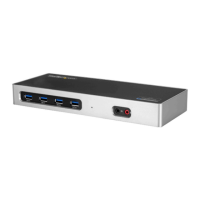
The four USB Type-A (USB 3.0) ports and one USB Type-C port located on the back
of the docking station are standard USB 3.0 throughput ports. When the dock is
connected to a laptop, this port provides a standard USB 3.0 power output to power or
charge your devices.
The front USB-A (USB 3.0) port is compliant with Battery Charging Specication
Revision 1.2 (BC 1.2), which means that you can use the port to charge a device faster
than you can using a standard USB 3.0 port. This front USB 3.0 port can fast-charge a
connected device, even when the dock isn’t connected to a laptop. When the docking
station is connected to a laptop, the front USB 3.0 port functions as a Charging
Downstream Port (CDP), which has simultaneous charge and sync capabilities.
The provided power adapter must always be connected to the dock in order to charge
a device using the Battery Charge 1.2 compatible USB 3.0 Type-A port. It can only fast-
charge devices that comply with USB Battery Charging Specication Revision 1.2.



 To Next Page