Instruction manual
1
Introduction
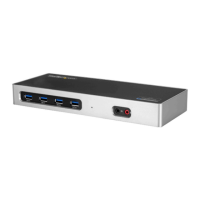
Package contents
• 1 x docking station
• 1 x Thunderbolt 3 cable
• 1 x USB-C to DisplayPort cable
• 1 x universal power adapter
• 2 x power cords (NA/JP and ANZ for TB3DOCK2DPPD or UK and EU for
TB3DOCK2DPPU)
• 1 x instruction manual
Requirements
• A host laptop with an available Thunderbolt 3 port
• An available AC electrical outlet
• DisplayPort equipped display(s) with cable(s) as needed (for additional external
display)
• Thunderbolt 3 equipped display(s) with cable(s) as needed (for additional external
display)
Note: To connect a second display, you must use one of the docking station’s
Thunderbolt 3 ports. A USB-C to DisplayPort cable is included to accommodate a
second DisplayPort enabled display. To connect to a dierent display, such as HDMI,
DVI or VGA, additional adapters (sold separately) are required. See the “Congure a
display device” section for further details.
• A 4K-capable display is required to achieve 4096 x 2160p resolution (4K is also
known as 4K x 2K)
• Any of the following operating systems:
• Windows® 10 (32 or 64-bit)
• Windows 8 / 8.1 (32 or 64-bit)
• macOS 10.12 (Sierra)
• macOS 10.13 (High Sierra)
• Video output capabilities are dependent on the video card and hardware
specications of your connected host laptop
Requirements are subject to change. For the latest requirements, please visit www.
startech.com/TB3DOCK2DPPD or www.startech.com/TB3DOCK2DPPU.



 To Next Page