13
To view manuals, videos, drivers, downloads, technical drawings, and more visit www.StarTech.com/support
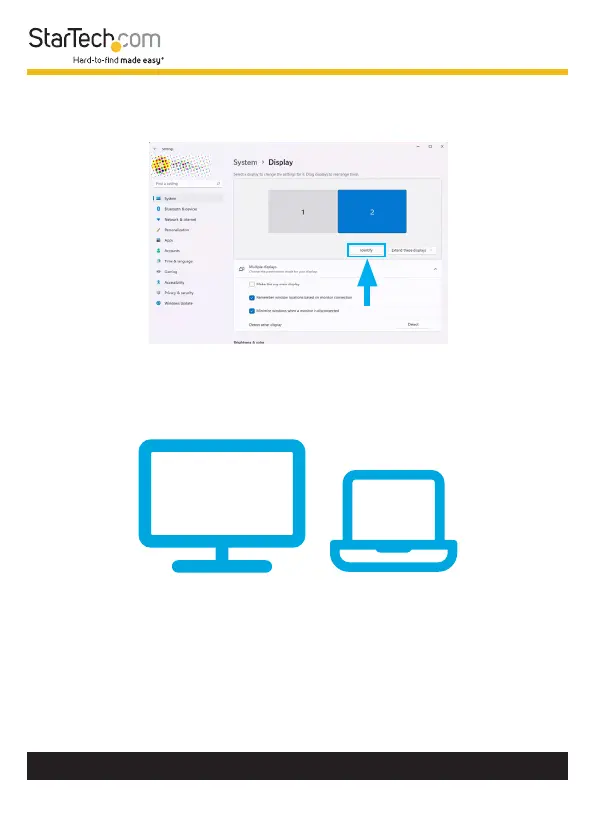
3. To identify a specic monitor, click on the Identify button
located just below the monitor arrangement diagram.
4. Windows will display a large number on each monitor briey.
Watch for the numbers to appear on the screens. Each
number that appears will correspond to a specic monitor.
22
11
The number that is associated to each connected Display
Device are now identied within Windows.












 To Next Page