1
Thank you for selecting Bilingual Super Notebook™.
This box contains one (1) Bilingual Super Notebook™ unit and
this User Guide.
Please read the Notice to Parents carefully before allowing your
child to use Bilingual Super Notebook™. Reading through the
User Guide with your child can be a valuable learning experience.
For your child’s safety, please discard any packing materials such
as plastic sheets, wire ties, tags, etc.
Introduction
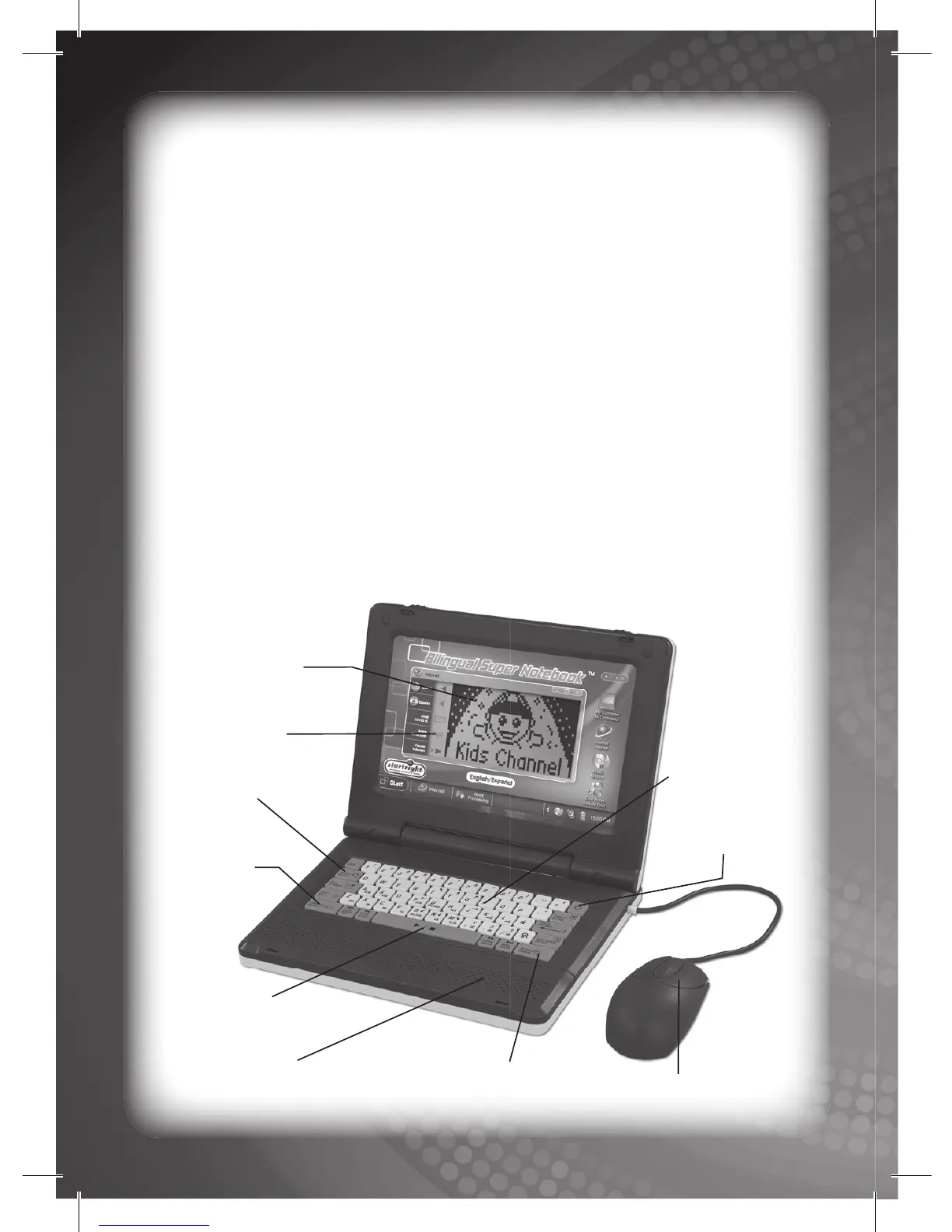
High-Resolution
LCD Screen
Quick Search Key
Real QWERTY
Keyboard
Language
Selection
Key
Power Key
2-Button Mouse
Speaker
Bilingual Super
Notebook
TM
Overview
LCD Screen
Icons
Personal Settings Key
Multimedia
Control Keys



 To Next Page