Battery Installation
Note: Do not allow children to install batteries unsupervised.
• This unit requires four (4) AAA batteries (not included). We
recommend alkaline batteries.
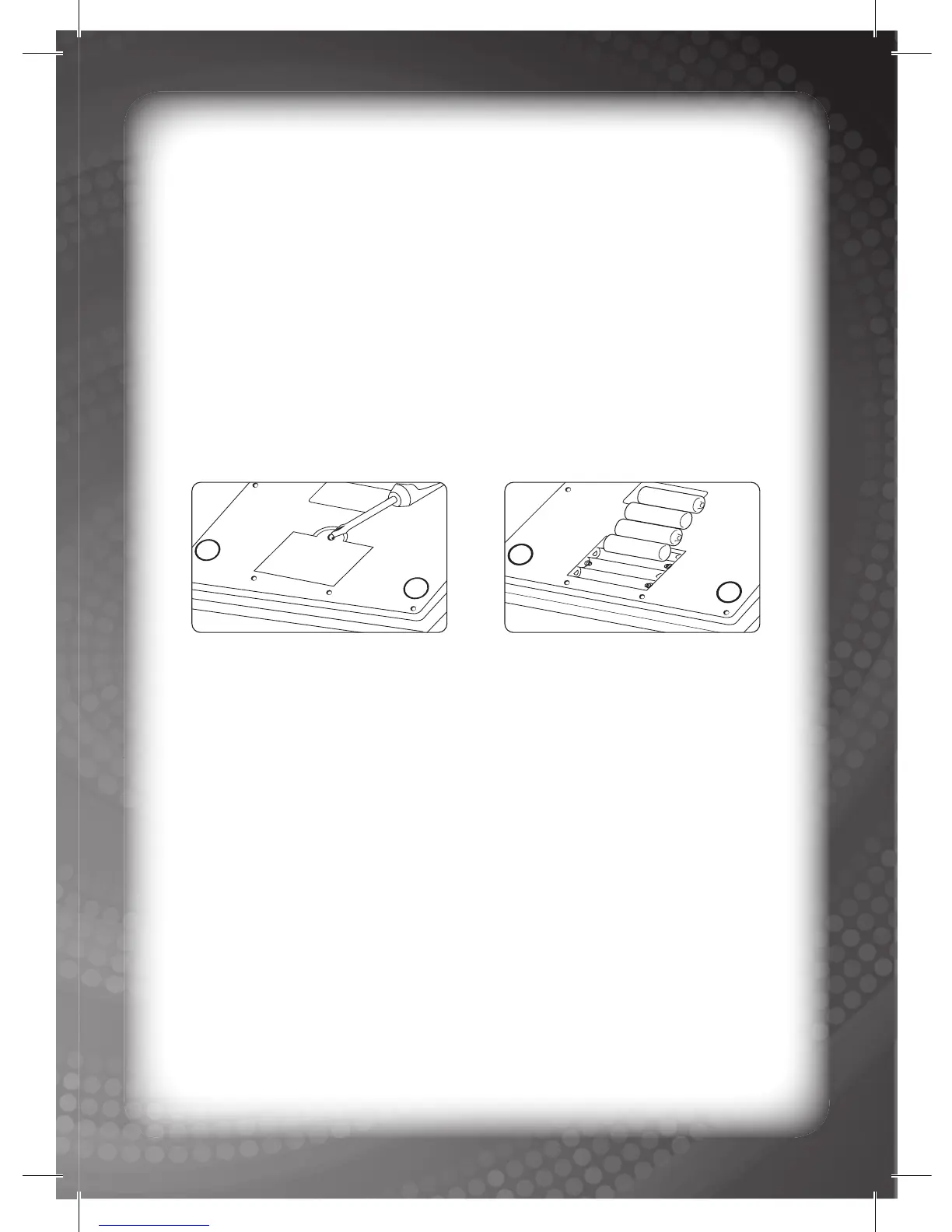
• Open the battery compartment on the back of the unit.
(See Figure 1.)
• Insert the batteries correctly, as indicated by the polarity symbols
(‘+’ and ‘-’) marked inside the battery compartment. (See Figure 2.)
• Replace the battery compartment door and push it fi rmly back in
place.
Battery Precautions
• Install batteries for your child.
• Do not use rechargeable batteries.
• Do not try to recharge non-rechargeable batteries.
• Do not mix old and new batteries.
• Do not mix alkaline, standard (carbon-zinc) or rechargeable
(nickel-cadmium) batteries.
• Do not short-circuit the supply terminals.
• Only use recommended batteries.
• For optimum operation, always use new alkaline batteries.
• Replace the batteries if the sound weakens or the display dims.
• Remove exhausted or weak batteries from the unit.
• Remove batteries if you are not going to use the unit for more
than one (1) week.
• This unit must not be connected to more than the recommended
number of power supplies.
2
Notice to parents



 To Next Page