6
must score thirty (30) points or more to move up to level 2, seventy
(70) points or more to move up to level 3 and one hundred and ten
(110) points or more to pass all levels and quit the mode. Refer to
individual activities for further details.
Game Zone
In the Game Zone
, your score will be converted into virtual money.
You can use virtual money to download photos/music/
cartoons as a reward. Please refer to the description in the relevant
activity modes for further details.
SPECIAL FEATURES &
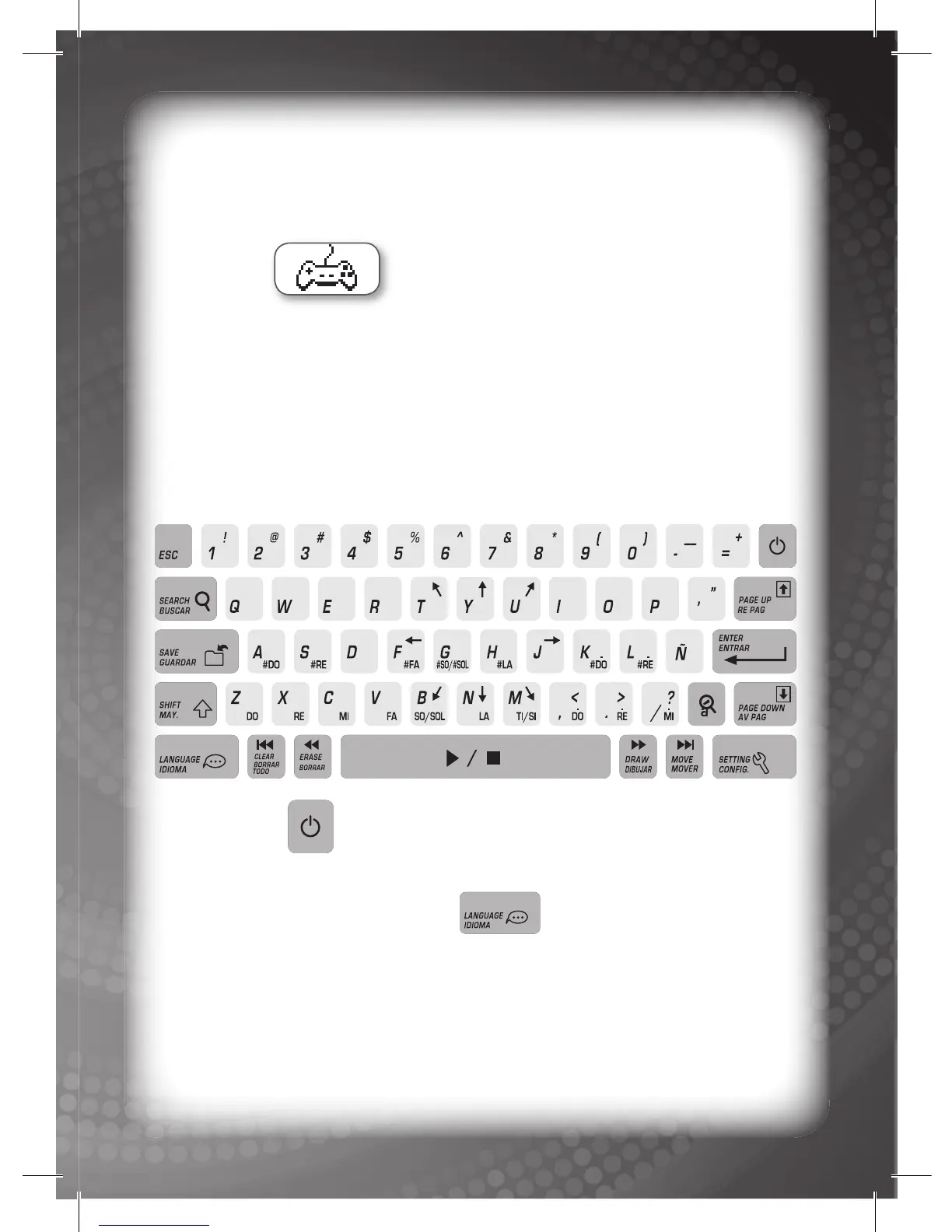
KEYBOARD LAYOUT
POWER Key:
Press this key to turn the unit ON or OFF.
LANGUAGE SELECTION Key:
Press this key once to access the language selection window.
You can select one of two (2) languages as the default operating
language.
LCD Screen Icons: Five (5) LCD screen icons can be found on the
LCD screen. The icons are as follows (from top to bottom):



 To Next Page