Activity 20 Percentage
A decimal (or a percentage) will appear on one side of the screen.
The user has to convert the decimal into a percentage (or convert
the percentage into a decimal) form and then type the answer into
the space on the other side of the screen.
Activity 21 Algebra
An algebra equation with a missing number will appear. The user
must enter the missing number by pressing the corresponding
number key.
Activity 22 Factor and Multiples
A variety of numbers will appear on-screen. The user should determine
the value of either the HCF (highest common factor) or the LCM
(lowest common multiple). The user must choose the correct number
keys to enter the answer.
Activity 23 Geometry
A geometry equation will appear on-screen with an unknown number.
The user must enter the correct unknown number by pressing the
corresponding number keys.
Activity 24 Calculator
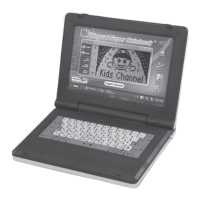
To use the Learning Smart Bilingual Laptop™ as a calculator, the
user may press any two (2) numbers and a mathematical operator.
After pressing the “Equals” sign (=) key on the keyboard, the unit
will display the answer.
Category 3 Music and Drawing
Activity 25 Kara-OK
The user will be prompted to press any letter key. Each letter key
plays a different melody.


 To Next Page