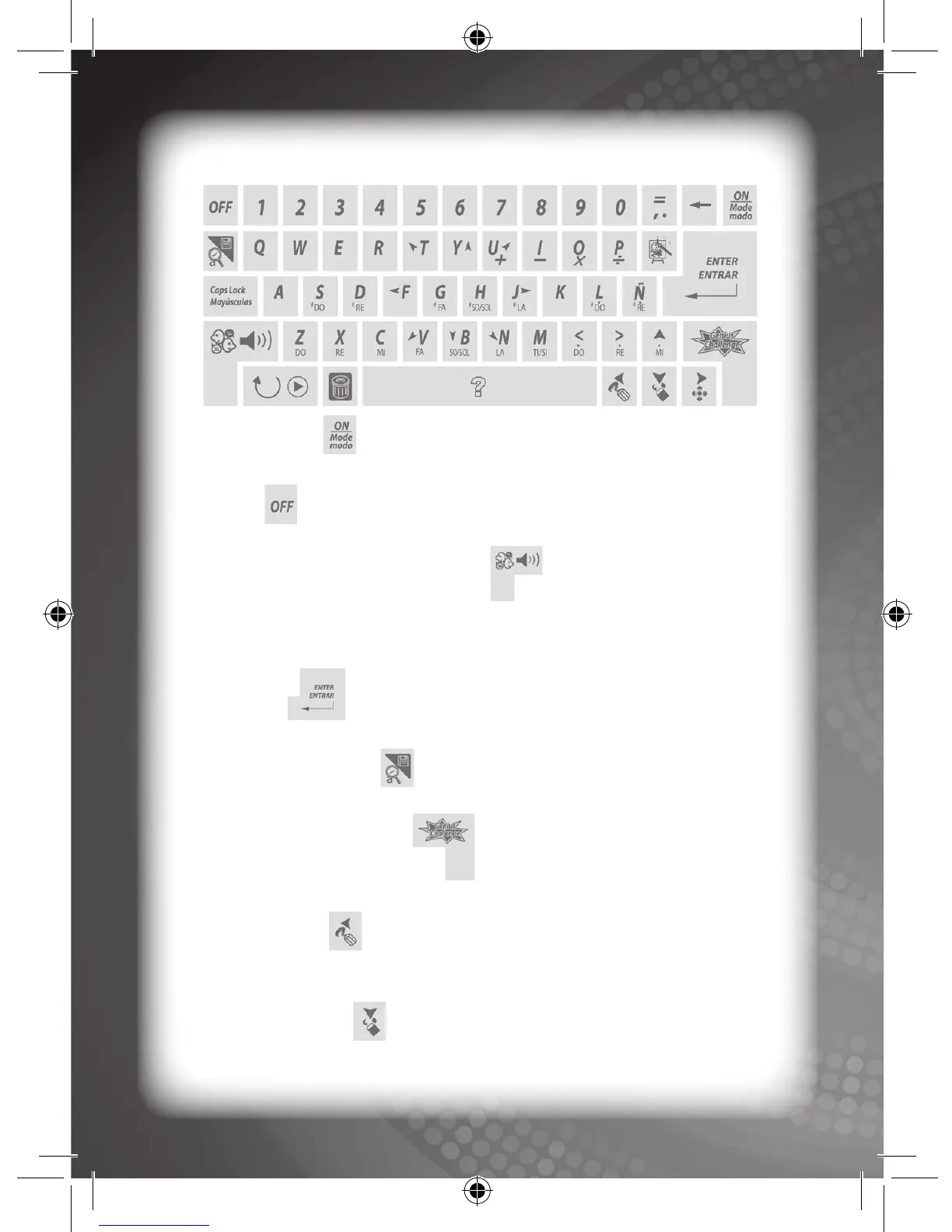
Keyboard Layout
“On/Mode” key:
The user must press this key to activate the unit and to select an activity.
“Off” key:
The user must press this key to turn the unit OFF.
“Language/Volume Control” key:
The user may press this key to select a language and/or to adjust the
volume level of the unit. There are two (2) selectable languages and three
(3) volume levels (low/normal/high) to choose from.
“Enter” key:
The user must press this key to confirm a selection.
“Record/Accent” key:
The user must press this key to record data and to type accents on Spanish
letters.
“Genius Challenge” Key:
The user must press this key to take the Genius Challenge.
“Left/Draw” key:
The user must press this key to move the cursor to the left, and to draw
lines in the drawing mode.
“Down/Erase” key:
The user must press this key to move the cursor down, and to erase lines
in the drawing mode.



 To Next Page