10
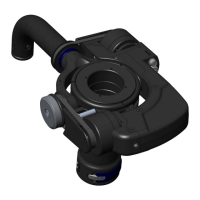
Gimbal. We identified the Gimbal in Section 1, but
now examine its range of motion. The Gimbal contains
delicate bearings and must not be forced beyond its
natural range of movement.
Now you are ready to begin balancing the unit for your camera.
Watch Section 4 of the DVD, Presetting Balance.
Then continue with the Manual.
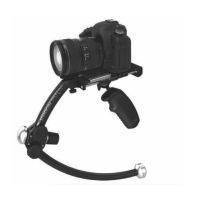
Grip. The Grip supports and positions the Merlin.
The Grip should always be held with the Velcro side
facing forward in contact with your fingers. If it’s held
backward, movement of the Gimbal will be impeded
and under some circumstances the Gimbal could be
damaged. Try gently moving the Grip and Gimbal
around to compare its range of motion in the correct
vs. incorrect positions.
Guide. This is the black ring above the Gimbal. The
Guide provides a minimal surface so the thumb and
one or two fingers can aim the camera. The “Tongue”
at the front of the Guide provides extra surface area to
assist in tilting the camera. Do not rotate or adjust the
Guide yet.
Blue Fore-and-Aft Trim Roller, along the side
of the Stage.
Blue Side-to-side Trim Roller, under the Stage
at the back of the Gimbal mount.
Identify the following parts:
Getting Started


 To Next Page