
 Need help?
Do you have a question about the Stec SV1 and is the answer not in the manual?
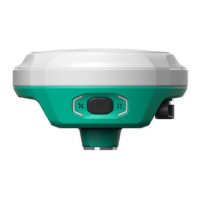
Describes the physical design and weight of the SV1 GNSS receiver.
Explains the meaning of the status indicators for satellite, data link, and Bluetooth.
Details the bottom interface ports and buttons of the SV1 GNSS receiver.
Outlines the functions and operation of the power button.
View basic position information, satellite number, PDOP, and time.
View satellite list, map, and set cut-off angle for satellite reception.
View receiver information like firmware, GNSS board, and network module status.
Configure working mode and data-link parameters for the receiver.
Configure the specific satellites to be used by the receiver.
Configure receiver settings such as time zone and update rates.
Configure NMEA data output through Bluetooth connection.
Download or convert raw data files to RINEX format.
Download log files for diagnosing operational issues.
Update firmware, register device, restart, and format internal disk.
Register permanent or temporary licenses for the device.
Enable different module functions through GNSS registration.
How to insert a SIM card to enable network working mode.
Details on charging the SV1 battery using a Type-C charger.
Methods for measuring antenna height for accurate elevation readings.
Describes the integrated IMU sensor for improved field experience.
Steps to initialize and calibrate the IMU sensor for tilt survey.
Using the camera for AR stakeout function.

 To Next Page
 General