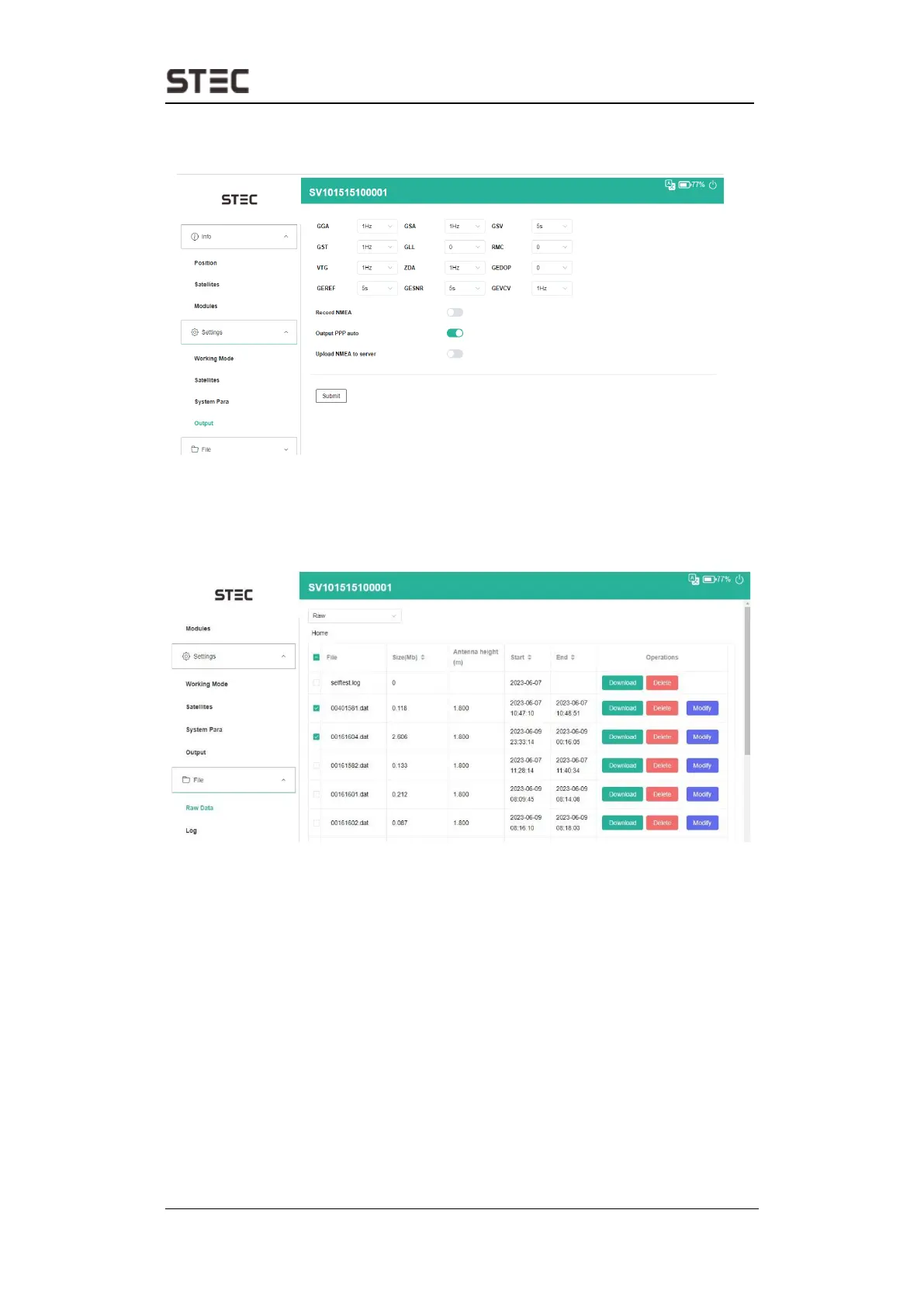
2.7 Output
Configure NMEA data output through Bluetooth.
2.8 Raw Data
Download raw data or convert data to RINEX format. User can use check box, then
click “Download choose” button to download multiple files.
The default static file type is *.dat, if users want to convert the file type to Rinex format, you can select
one file, then press “Modify” button, it will pop up a dialog, select “convert” from drop-down menu,
then choose required Rinex format version, press submit, it will generate a new file package in the file
list.


 To Next Page