1.4
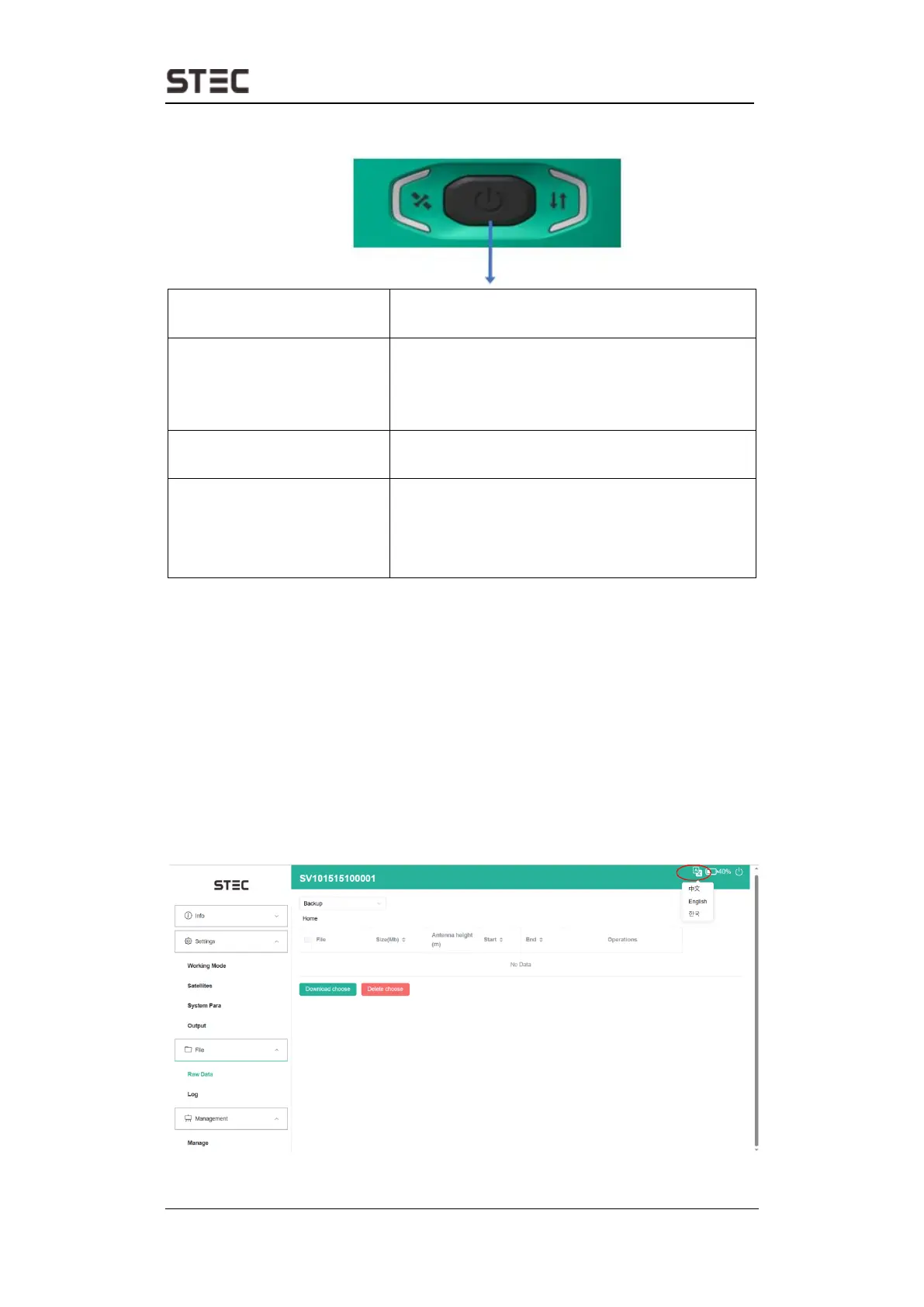
Power button
The main function as below:
Long press button for five seconds until hear one
beep and see all lights on to power on receiver.
Long press button for three seconds then release,
will hear the voice “Please release button, short
press to power off, long press to self-check” Then
short press the button again to confirm.
Broadcast Current Working
Mode
Receiver will broadcast current working mode.
when press the power button once.
Long press button for three seconds then release,
will hear the voice “Please release button, short
press to power off, long press to self-check” Then
long press button for three seconds then release,
will hear the voice “Start self-check”.
2.
Web User Interface
User can connect to receiver WIFI hotspot with PC, smartphone, or tablet. The hotspot
name is the device serial number, can be found under the bottom of the device label.
Open web browser and input the IP address “192.168.10.1”. The default username is
“admin”, password is “password”. From the website, user can manage working status,
change working mode, configurate basic settings, download raw data, update
firmware, and register device.
Language and intelligent voice
After entering web UI, users can configure language display and device voice via pressing
following button.


 To Next Page