3.4 IMU Sensor
STEC SV1 is integrated with powerful calibration-free IMU sensor to give better experience
in the real field work.
3.4.2 IMU Tilt Survey
To initialize the IMU sensor, receiver must be in Fixed solution.
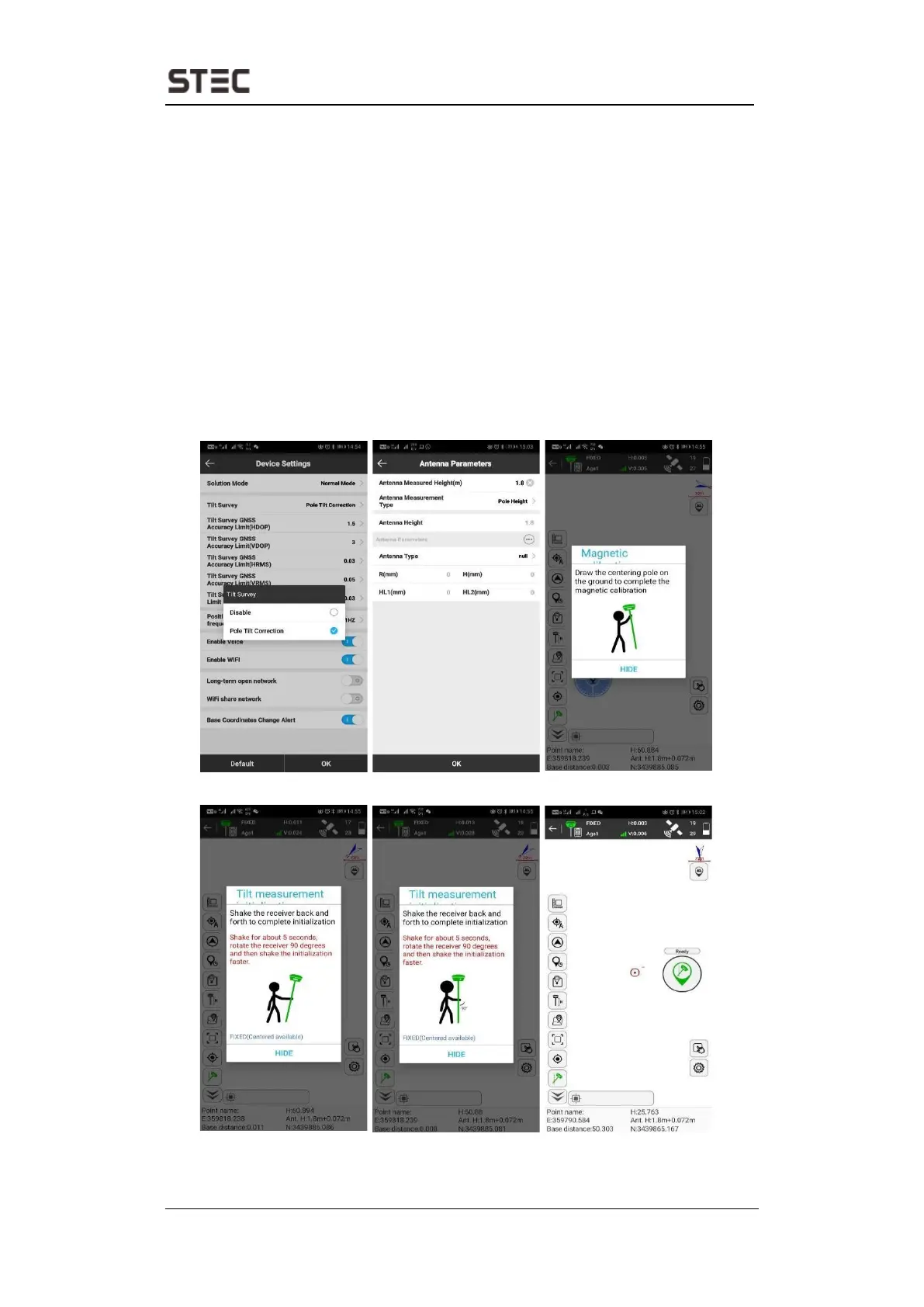
In SurPad4.0 software, connect device and click “Device” ->
“Device Settings”, enable “Pole Tilt Correction” function. Then, go to “Survey” ->
“Point Survey” page. The software will guide user to calibrate the sensor.
• Input the correct pole height.
• Draw circle on the ground using the pole.
• Follow the guide and shake the pole back and forth for around 5-10 seconds or
walk in straight line around 10 meters until it shows “Ready.”


 To Next Page