ID3 (track/album title) function (by remote handset)
Press the “ Info/Delete “ button during playback of MP3 file, the song title is being displayed. Press the “ Info/Delete ” button
again to disable the function.
Song title/folder name search function (by remote handset)
You can search the track by the title/folder name in disc during stop mode:-
E-2
1. Press the “ Find “ button once, then press the “CD I Skip up” (or skip down) button, you can search the title of each song
one by one under alphabet order on USB/SD operation display area , then press “ USB/SD Play/Pause to start the
playback of the selected track.
2. Press again “ Find ” button, the folder name is being displayed. then press the “CD I Skip up” (or skip down) button to
select the desired folder, and press the “CD I Play/Pause/Stop ” button to start the playback of all tracks inside that
selected folder.
Remark:-
- In that case of no name had been assigned for the track, “ none “ or “ unknown “ is being displayed” on display (2).
- The LCD display support English language only.
MP3 track format requirement:-
- MP3 bit rate : 32 kbps~256 kbps.
- The performance of playing MP3 files is various from the quality of recording disc and the method of recording.
Repeat/Intro/Random mode (on remote control only)
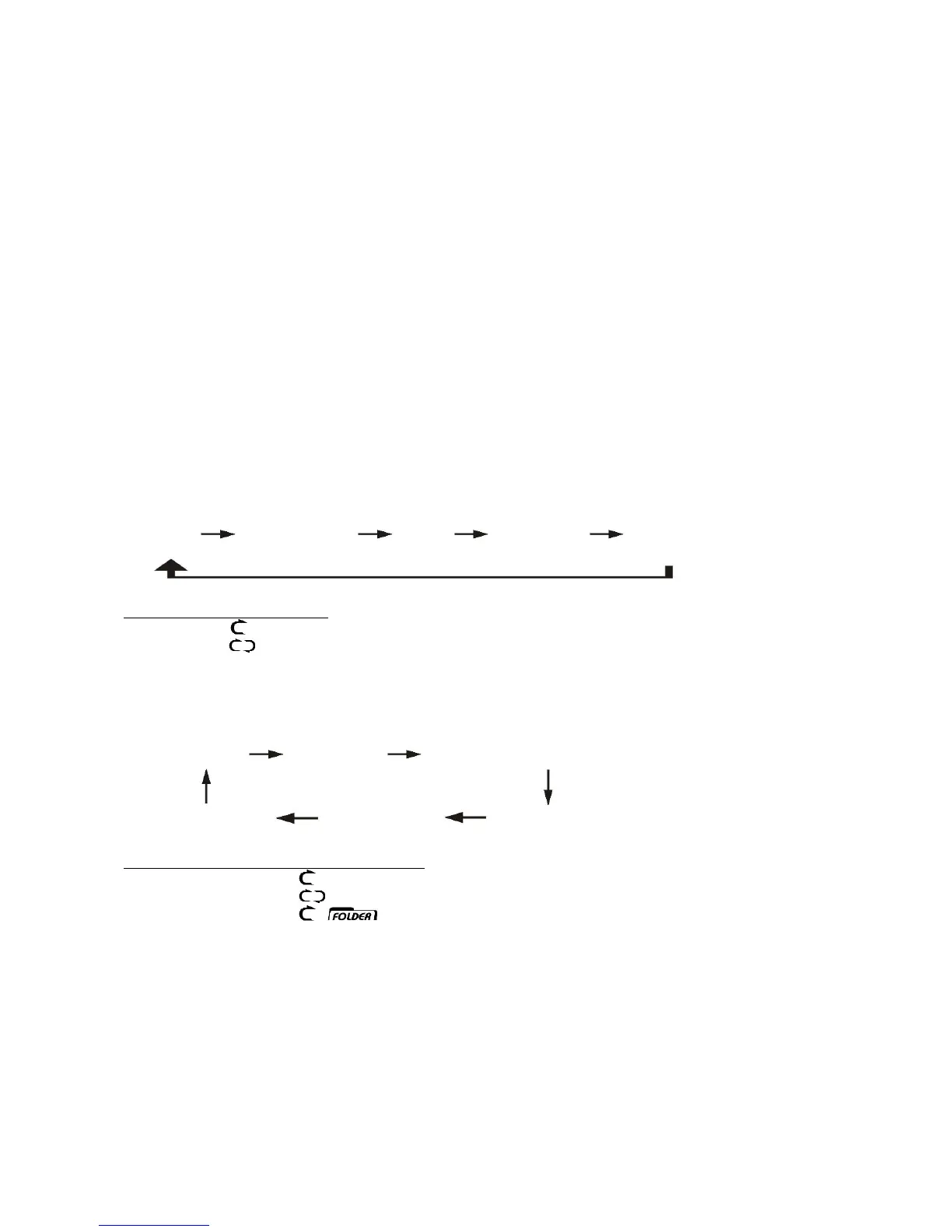
Press the Play mode button before or during playback, a file, folder(MP3 disc only) or all the files repeat and ransom, intro can
be played in difference mode as follow:-
FOR CD
(1) repeat 1 (2) repeat all track (3) intro (4) random (5) off mode
Indicator
Play mode on lcd display
Repeat track
Repeat all
Intro INTRO
Random RAN
Off mode --------------
FOR MP3
(1) repeat 1 (2) repeat all (3) repeat 1 folder
(6) off mode (5) random (4) intro play
Indicator on USB/SD
play mode operation display
repeat single track
repeat all tracks
repeat single folder
intro play mode INTRO
random mode RAN
off mode -----------------
Repeat play
You can listen the desired file or folder repeatedly by this function.
Intro play (by remote control)
you can listen the beginning (10 seconds) of each file & saving your time to search the desire song
Random play
You can listen all the file in random order by this function
CD/MP3 programming (by remote control)
Up to 32 tacks can be programmed for CD/MP3 file and play in any order. before use, be sure the system is at stop mode


 To Next Page