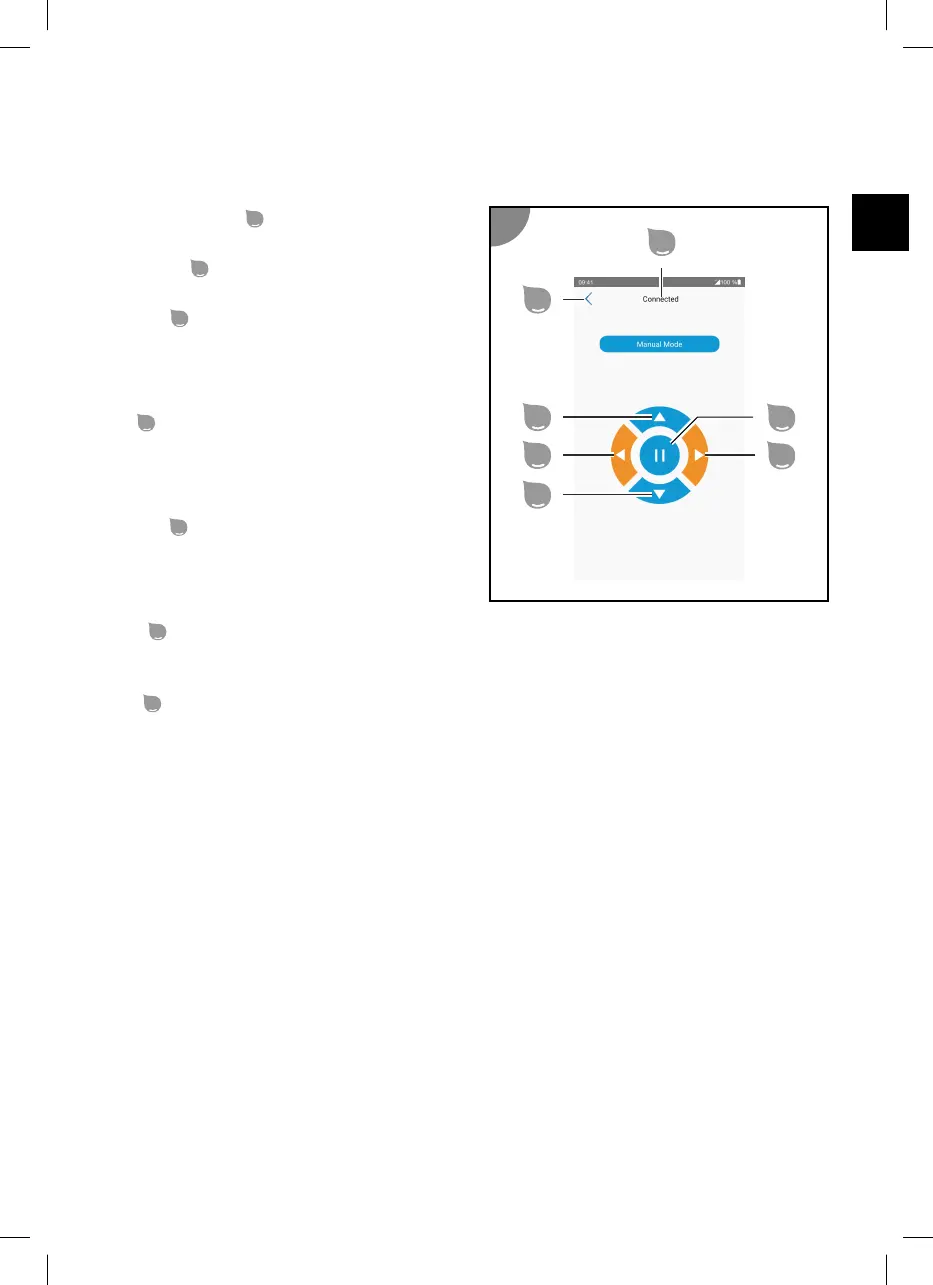
Manual mode
The manual mode is used to manually control the movements of the device. Movement starts with a
delay because the pump has to start up first.
Connection status
See "Start menu".
Start menu
Return to the start menu.
Forward
Moves the device forwards until another button is
pressed.
The LED indicator of the Mode function on the
control unit blinks from left to right.
Left
Turns the device counter-clockwise for as long as
the button is pressed.
The LED indicator of the Time function on the
control unit blinks from right to left.
Reverse
Moves the device backwards until another button
is pressed.
The LED indicator of the Mode function on the
control unit blinks from right to left.
Right
Turns the device clockwise for as long as the button is pressed.
The LED indicator of the Time function on the control unit blinks from left to right.
Stop
Stops the movement.
33


 To Next Page
 Loading...