MIDEX-8
English – 14
3. Click on “CD-ROM drive” so that it is ticked. If your computer has more
than one CD-ROM drive, please specify the path of the drive that you use.
Now insert the MIDEX-8 CD-ROM into the corresponding drive and click
the “Next” button.
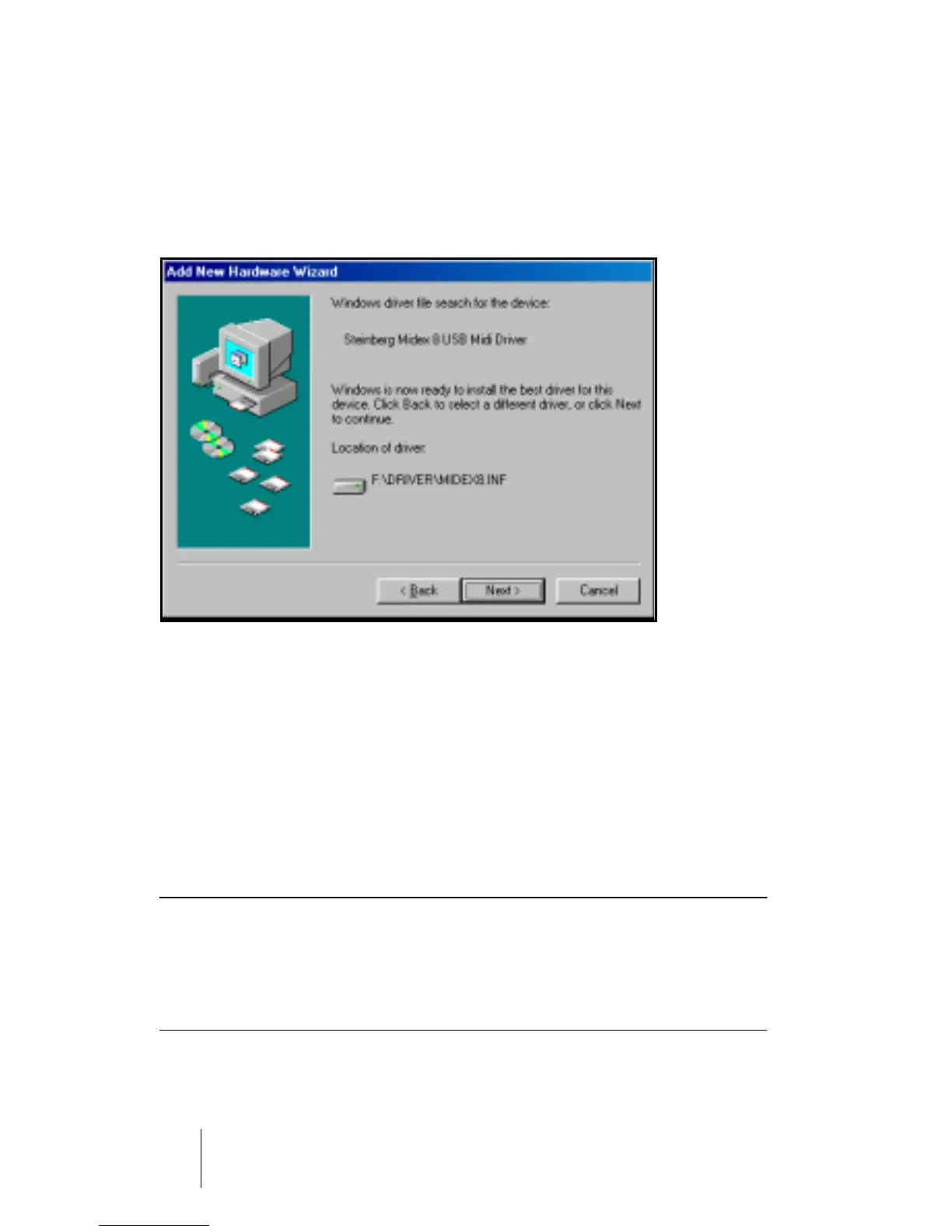
Windows indicates when it has found the drivers.
4. Click the “Next” button to install the drivers. When that has successfully
happened, Windows displays a corresponding message.
The firmware driver is now automatically transferred into the MIDEX-8 and Win-
dows might ask you to insert the Windows CD, if it needs any additional Win-
dows drivers previously not installed.
5. If necessary, insert the Windows CD and click “Browse”.
Windows will find and install the needed drivers.
6. Restart your computer when the installation is completed.
❐
Under certain conditions, some versions of the Windows operating system
do not properly recognize USB devices. You should therefore avoid to
plug in or remove your MIDEX-8 during operation. Please find more infor-
mation about this issue in the section “Windows Problems with the USB
Reset” on page 32.


 To Next Page