11
Emergency Call
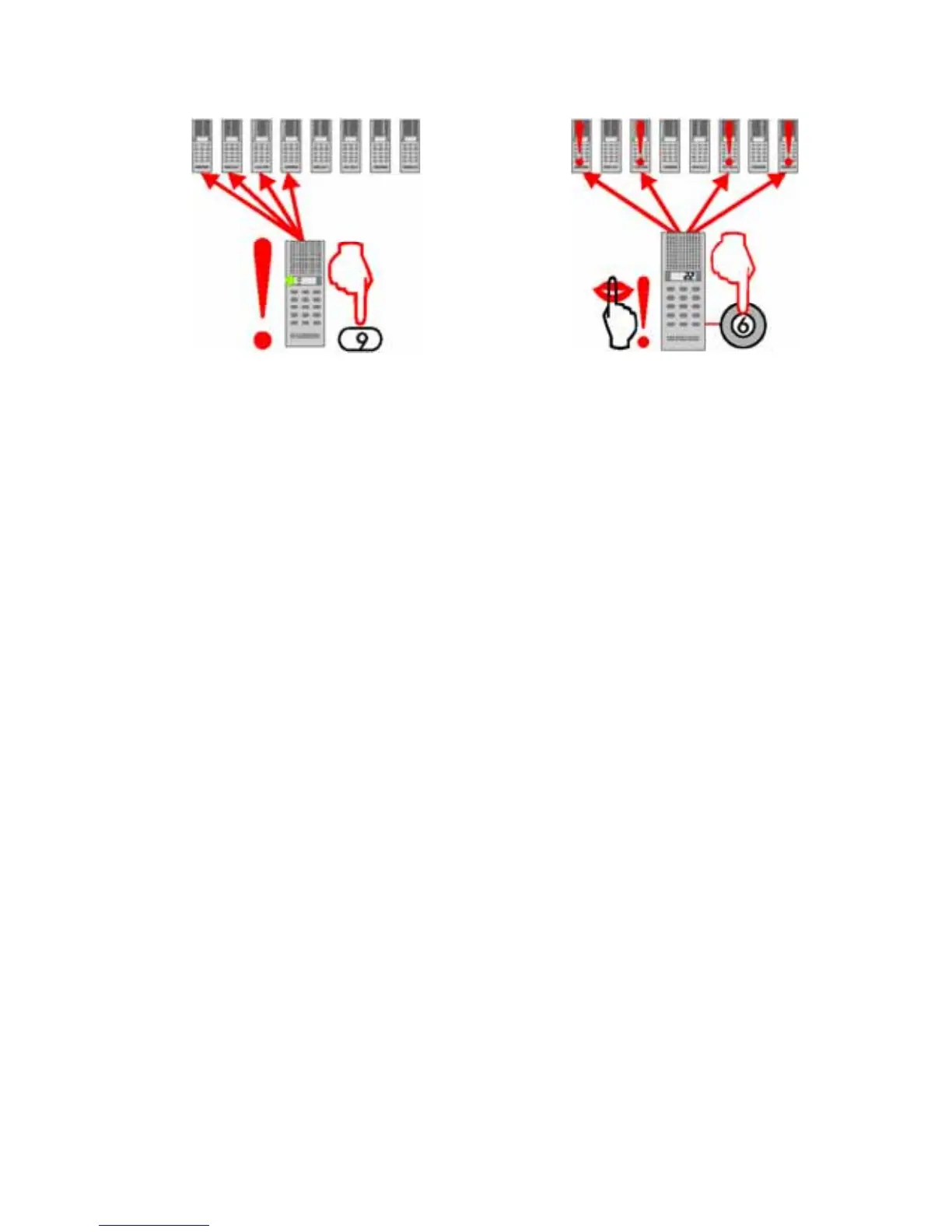
URGENT MESSAGE TO ALL
STATIONS
All master stations and substations
with a “9-key” can be programmed to
activate Emergency Call.
• All stations programmed to receive
Group Call group #2 will receive the
message.
• Press and hold the 9-key
- broadcast an important message.
• Release the 9-key
- the call is automatically termi-
nated.
• The Emergency Call has priority
over all other calls except Silent
Alarm.
Master stations programmed for Silent
Alarm can make an emergency alarm call
to a predetermined group of stations.
The call can also be initiated by a con-
cealed button or a foot-switch.
Any station can be programmed to
receive Silent Alarm calls.
MAKE A SILENT ALARM
• Press the 6-key or activate the
emergency switch
- the station making the call will remain
silent and the lamp will not change.
-the receiving station(s) will give a
special warning tone and the lamps
are blinking red.
LISTEN IN
• Press the 6-key on the receiving
station to listen in to the emergency
situation
-no warning sound or light are given
in the emergency station
- the lamp in the listening station
will blink green.
ESTABLISH CONVERSATION
• Press the 6-key in Listen-in mode
- a normal duplex conversation is
set up.
WITHDRAW FROM LISTEN-IN
• Press the X-key in Listen-in mode
- the call will return to Silent Alarm
call with warning tone.
CANCEL SILENT ALARM CALL
• Press the X-key to withdraw your
station from the Silent Alarm call
- the alarm signal stops.
Silent Alarm


 To Next Page