5
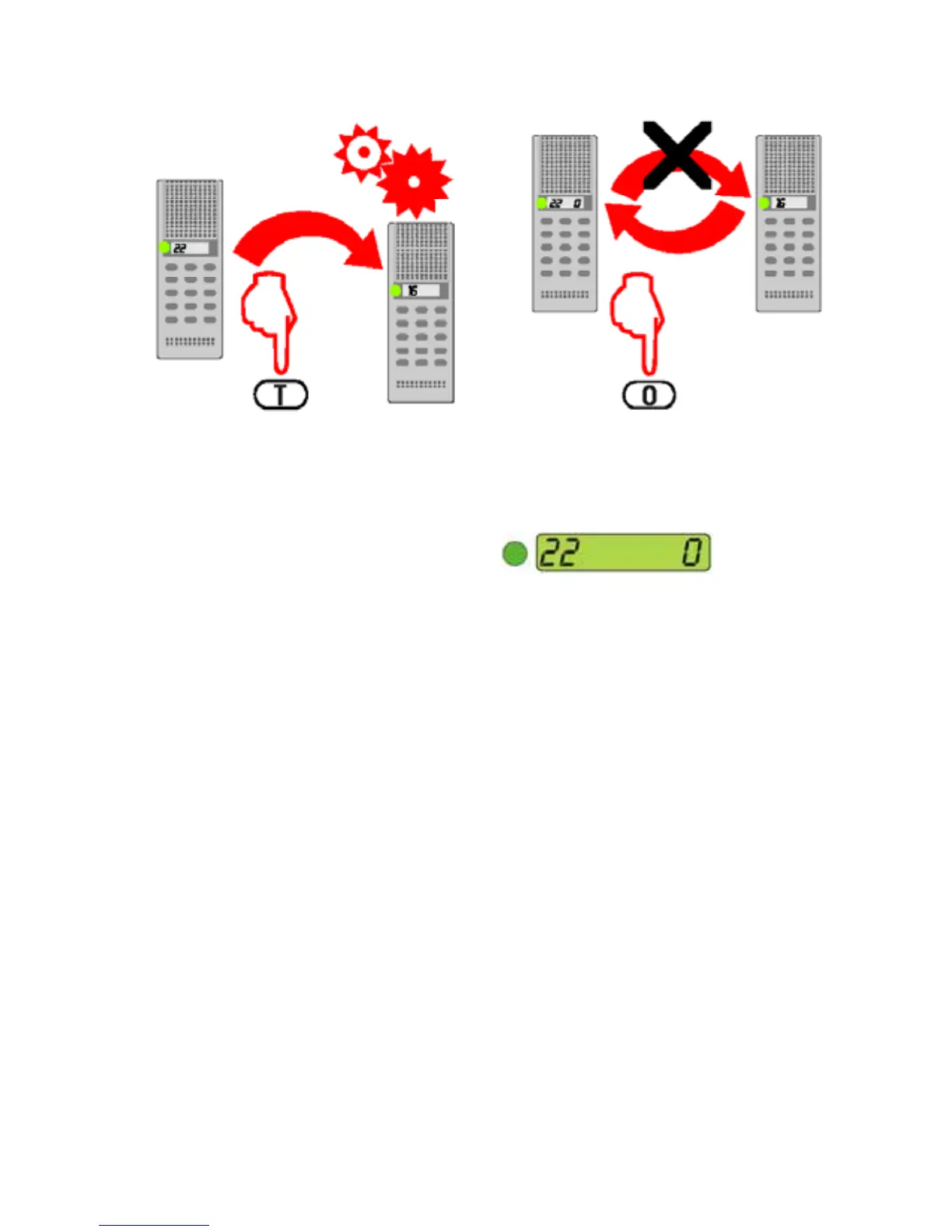
Manual speech control
All calls are set up in hands-free
duplex mode.
When calling to or from a noisy area,
the duplex switching may be infl u-
enced by the noise.
SIMPLEX MODE
• Press the T-key (Talk) to force the
speech direction towards the called
station.
• Release the T-key (Talk) to force
the speech direction towards the
initiating station.
• Either party may use the speech
control at any time during a call.
- If both parties are using the T-key,
the last one has speech control.
REVERT TO HANDS-FREE MODE
• Touch the T-key.
Microphone cutout
MUTE MICROPHONE
• Press and hold the 0-key to tem-
porarily disconnect the microphone
during a conversation.
• Release the 0-key to resume the
conversation.


 To Next Page