EasyManua.ls Logo

StepperOnline DM542T - User Manual

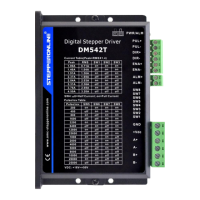
StepperOnline DM542T
12 pages
Print Icon
To Next Page IconTo Next Page
Loading...
Users Ma
nu
a
l
For
DM542T
Full Digital Stepper
Dr
i
ve
Designed by StepperOnline®
Manufactured by Leadshine®
©2017 All Rights Reserved
Attention: Please read this manual
carefully before using the drive!
#7 Zhongke Road, Jiangning, Nanjing, China
T: 0086-2587156578
Web site: www.omc-stepperonline.com
E-Mail:sales@stepperonline.com

Questions and Answers

  • K
    Kimberly BaileyAug 3, 2025
    What to do if StepperOnline DM542T Control Unit motor is not rotating?
    • R
      Ricardo PenaAug 3, 2025
      If the StepperOnline Control Unit motor isn't rotating, first ensure the power supply is properly connected and functioning. Then, check and adjust the microstep resolution setting and verify the DIP switch current setting is correct. Also, check the system for any fault conditions and rectify them. Finally, ensure that the drive is enabled using the appropriate controls.
  • R
    Roberto CarrilloAug 10, 2025
    What to do if StepperOnline Control Unit shows erratic motor motion?
    • T
      Timothy OlsonAug 10, 2025
      If you observe erratic motor motion in your StepperOnline Control Unit, it could be due to several reasons. First, increase the strength of the control signal. Then, minimize any interference affecting the control signals. After that, verify that the motor connections are correct and inspect the motor coil for faults. Finally, increase the current setting to prevent steps from being lost.
  • K
    Karen AndersonAug 17, 2025
    How to prevent excessive motor and drive heating in StepperOnline DM542T Control Unit?
    • V
      vcarrAug 17, 2025
      Excessive heating of the StepperOnline Control Unit motor and drive can be addressed by improving the heat sinking or cooling system. Additionally, enable the automatic current reduction function and lower the current setting.
  • H
    Heather FrancisAug 25, 2025
    Why StepperOnline DM542T Control Unit motor rotates in the wrong direction?
    • J
      John CohenAug 25, 2025
      If the StepperOnline Control Unit motor rotates in the wrong direction, check and correct the wiring of the motor phases, as they may be connected in reverse.

Summary

DM542 T Specifications

Electrical Specifications

Provides electrical parameters like peak current, voltage, frequency, pulse width, and isolation resistance.

Pin Assignments and Interfaces

Connector P1 Configurations

Details the pin functions for PUL, DIR, and ENA control signals on connector P1.

Connector P2 Configurations

Lists the pin functions for power and motor phases on connector P2.

Control Signal Interface (P1)

Explains how to interface control signals (open-collector, PNP) with connector P1.

Motor Connections

Advanced Motor Configurations

Power Supply and Configuration Settings

Power Supply Selection Guidance

Discusses regulated vs. unregulated supplies and selecting appropriate voltage.

Microstep Resolution and Current Settings

Introduces DIP switch settings for microstep resolution and motor operating current.

DIP Switch Settings

Microstep Resolution Selection

Details how to set microstep resolution using DIP switches SW5, SW6, SW7, SW8.

Drive Operation and Wiring

Control Signals and Protections

StepperOnline DM542T Specifications

General IconGeneral
BrandStepperOnline
ModelDM542T
CategoryControl Unit
LanguageEnglish

Related product manuals