Need help?
Do you have a question about the StepperOnline DM542S and is the answer not in the manual?
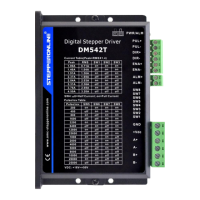
Details the input terminals for control signals like Pulse, Direction, and Enable.
Describes the terminals for motor phase connections and DC power input.
Illustrates the wiring diagram for common anode signal connections.
Illustrates the wiring diagram for common cathode signal connections.
Illustrates the wiring diagram for differential signal connections.
Defines the required timing and pulse width for PUL, DIR, and ENA signals.
Configures the output current using DIP switches SW1, SW2, SW3.
Sets the standstill current level using DIP switch SW4.
Configures microstep resolution using DIP switches SW5-SW8.
Addresses issues where the power indicator LED is not illuminated.
Guides on resolving drive alarms that occur after power-on.
Helps diagnose why the motor fails to rotate with pulse signals.
 General
| Pulse Frequency | 0-200 kHz |
|---|---|
| Input Voltage | 20-50VDC |
| Output Current | 1.0-4.2A |
| Logic Input Current | 7-16mA |
| Operating Temperature | -10 to +50 °C |
| Storage Temperature | -20 to +65 °C |
| Step Resolution | 200-51200 steps/rev |
| Protection Features | Over-voltage, Over-current |
| Control Method | Pulse/DIR or CW/CCW |
| Humidity | 90% RH max (non-condensing) |


 To Next Page