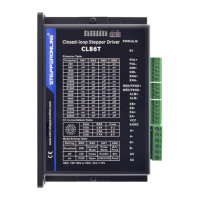
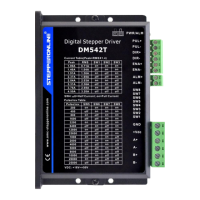
The CL57T(V4.0) is a closed-loop stepper drive designed to provide precise and reliable control for stepper motors. This device integrates advanced features to ensure optimal performance, smooth motion, and protection against various operational faults. It is suitable for a wide range of applications requiring high accuracy and efficiency in motion control.
Function Description
The CL57T(V4.0) operates as a closed-loop stepper driver, meaning it continuously monitors the motor's position through an encoder and adjusts the motor's current to maintain the commanded position. This closed-loop control eliminates the common problem of "loss of step" often associated with open-loop stepper systems, ensuring higher accuracy and reliability, especially under varying load conditions. The drive supports a broad range of NEMA 17, 23, and 24 closed-loop stepper motors, making it versatile for different motor sizes and applications.
The core function of the drive involves translating pulse and direction signals from a controller (such as a PLC or pulse generator) into precise motor movements. It offers flexible microstep resolutions, configurable via DIP switches, allowing users to achieve very smooth motion and reduce resonance. The drive also includes anti-resonance technology, which optimizes torque, further enhances motion smoothness, and minimizes motor heating and noise.
For output control, the CL57T(V4.0) provides both fault and brake outputs. The fault output signals when an alarm condition occurs, such as over-voltage, over-current, or position following error, enabling the system to react appropriately. The brake output is specifically designed to drive a motor brake, requiring connection with a relay and diode for proper operation. This feature is crucial for applications where the motor needs to be held securely in position when power is removed or during specific operational states.
The drive supports both single pulse (step & direction) and double pulse (CW/CCW) input modes, configurable through DIP switches, offering flexibility in how control signals are interfaced. It also features a soft-start function, preventing sudden "jumps" when powered on, which contributes to system stability and longevity.
Usage Features
The CL57T(V4.0) is designed for ease of use and configuration, offering several features that simplify its integration into motion control systems.
Configuration Switches:
- Rotating Switch (S1): This switch is used to set the peak current of the drive and adjust motion gain parameters. It allows for fine-tuning of the drive's performance based on motor phase current and application requirements. The settings influence velocity loop Ki and position loop Kp, which are critical for stop time, position accuracy, and system rigidity. Users can select from predefined codes to adjust current and gain, with factory settings often providing a good starting point.
- DIP Switches (S2 - SW1 to SW8): These 8-bit switches provide extensive configuration options:
- Microstep Resolution (SW1-SW4): Users can select from 16 different microstep resolutions, ranging from 200 to 51,200 pulses per revolution (for a 1.8° motor). This allows for precise control over motor movement smoothness.
- Rotation Direction (SW5): Configures the motor's rotation direction as either clockwise (CW) or counter-clockwise (CCW).
- Control Mode (SW6): Allows selection between closed-loop and open-loop control. Setting the drive to open-loop mode can be useful for troubleshooting encoder wiring errors if an alarm disappears in this mode.
- Pulse Mode (SW7): Selects between PUL/DIR (single pulse) and CW/CCW (double pulse) input modes for control signals.
- Pulse Filter Time (SW8): Enables an advanced feature called Pulse Filter Time, which introduces S-curve acceleration to the input pulse. This improves motion smoothness and high-speed start frequency, particularly beneficial in multi-axis applications where all drives should have the same filter time value.
- Selector Switch (S3): This 1-bit switch on the top of the drive is crucial for configuring the voltage level of control signals (5V or 24V). The factory setting is 24V, which simplifies wiring by eliminating the need for 2K resistors. If the control signal voltage is 5V, S3 must be set to 5V for the motor to function correctly, as incorrect voltage selection can damage the input photo-coupling.
The drive features optically isolated inputs for control signals (PUL+, PUL-, DIR+, DIR-, ENA+, ENA-), ensuring robust noise immunity. These inputs are compatible with both 5V and 24V logic levels, with the voltage selected via S3. The digital outputs (ALM, BRK, COMO) provide status and control signals for external systems. The encoder signals (EB+, EB-, EA+, EA-) connect to the motor's encoder, providing feedback for closed-loop operation. Motor connections (A+, A-, B+, B-) and power connections (+VDC, GND) are clearly defined.
Power Supply Selection:
The CL57T(V4.0) operates within an 18-50VDC voltage range, with 24-48VDC recommended. Proper selection of supply voltage is critical for performance: higher voltage allows for higher motor speeds, while lower voltage can reduce noise and heating, improving reliability for low-speed applications. Multiple drives can share a single power supply if it has sufficient capacity, but direct, separate connections to the power supply are recommended to avoid cross-interference.
Maintenance Features
The CL57T(V4.0) incorporates several built-in protection features and diagnostic tools to enhance reliability and simplify troubleshooting.
Fault Protections:
The drive is equipped with comprehensive fault protections, including:
- Over-voltage protection: Safeguards the drive from excessive input voltage.
- Over-current protection: Prevents damage due to excessive motor current.
- Position following error: Detects when the motor deviates too far from its commanded position, indicating a potential issue with the motor, load, or encoder.
- Chip error: Indicates an internal hardware fault.
- Fail to lock motor shaft: Suggests a problem with the motor connection or the motor itself.
- EEPROM error: Points to an issue with the drive's internal memory.
- Fail to auto tuning: Indicates a problem during the automatic tuning process.
When any of these protections are active, the motor shaft will become free, and the red LED status light will blink, providing a visual indication of the fault. Resetting the drive by repowering it is typically required after resolving the underlying problem.
LED Status Lights:
The drive features two LED lights:
- Green LED: This is the power indicator and should always be on during normal operation.
- Red LED: This is the alarm status indicator. It remains OFF during normal operation but turns ON and flashes in specific patterns during a 3-second period when an alarm protection is enabled. The number of blinks corresponds to different fault types, aiding in quick diagnosis.
Troubleshooting Guide:
The manual provides a detailed troubleshooting guide that outlines common symptoms, possible problems, and their solutions. This includes issues such as:
- Motor not rotating (no power, incorrect microstep setting, fault condition, disabled drive).
- Wrong motor rotation direction (reverse direction signal level).
- Erratic motor motion (weak or interfered control signal, wrong motor connection, motor coil issues).
- Motor stalls during acceleration (current setting too small, undersized motor, high acceleration, low power supply voltage).
- Excessive motor & drive heating (inadequate heat sinking/cooling, high motor peak current setting).
- Motor vibration when power on (high speed loop Kp value).
The guide emphasizes a systematic approach to troubleshooting, starting with identifying whether the problem is electrical or mechanical, isolating components, and documenting each step.
Heat Dissipation:
To ensure reliable operation and prevent overheating, the CL57T(V4.0) is designed with heat dissipation in mind. It is recommended to mount the drive vertically to maximize natural cooling. In environments where necessary, a cooling fan can be used. When multiple drives are installed, maintaining a minimal 30mm (12 inches) spacing between them is suggested to facilitate airflow and prevent heat buildup. The drive's reliable working temperature should not exceed 40°C (109°F).
Overall, the CL57T(V4.0) is a robust and feature-rich closed-loop stepper drive that offers high performance, flexible configuration, and comprehensive protection mechanisms, making it a reliable choice for demanding motion control applications.



 To Next Page
 General