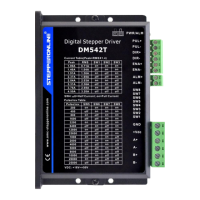
Full Digital Stepper Drive DM542S
Contents
1. Overview.......................................................................................... - 1 -
2. Features ........................................................................................... - 1 -
3. Ports Introduction .......................................................................... - 2 -
3.1 Control Signal Input Ports ..................................................... - 2 -
3.2 Power Interface Ports............................................................. -3 -
4. Technological Index........................................................................ - 4 -
5. Connections to Control Signal....................................................... - 5 -
5.1 Connections to Common Anode............................................ - 5 -
5.2 Connections to Common Cathode ....................................... - 6 -
5.3 Connections to Differential Signal ...................................... - 7 -
5.4 Sequence Chart of Control Signals...................................... - 8 -
6. DIP Switch Setting......................................................................... - 9 -
6.1 Current Setting..................................................................... - 9 -
6.2 Standstill current Setting... .................................................. - 9 -
6.3 Microsteps Setting.... ........................................................... - 9 -
7. Faults alarm and LED flicker frequency.................................... - 11 -
8. Appearance and Installation Dimensions ................................... - 12 -
9. Typical Connection....................................................................... - 13 -
10. Processing Methods to Common Problems and Faults ........... - 14 -
10.1 The power light is off........................................................ - 14 -
10.2 The drive alarms when power on...................................... - 14 -
10.3 The motor does not rotate after being given pulse signals.. - 14 -



 To Next Page