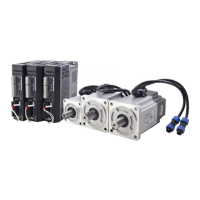
Quick Start of T6 AC Servo
The steps to use this function:
a. Choose the right control mode : Pr0.01 = 0
b. Set up Pr0.02=1 for interpolation movement
c. Set up the inertia ratio : Pr0.04
d. Set up the rigidity : Pr0.03
e. Set up the Pr0.00 :
1) If no multi-axis synchronous movement , set Pr0.00 as 1 or more than 10 ;
2) If multi-axis synchronous movement needed , set Pr0.00 as the same for all the axes .
3) If Pr0.00 is more than 10 , start with 100 , or 150 , 200 , 250 , …. .
Caution:
1. Set up the right control mode, the correct inertia of ratio and rigidity firstly .
2. Don’t change the value of Pr0.00 when the motor is running, otherwise vibration occurs .
3. Set up a small value from the beginning if using it in manual mode, smaller value means running
more smooth and steady, while bigger one means faster positioning.
Set up the bandwidth of MFC , it is similar to the response bandwidth
Enable the function , set the bandwidth automatically ,
recommended for most application .
Set the bandwidth manually , 1.1Hz – 2000Hz


 To Previous Page