Quick Start of T6 AC Servo
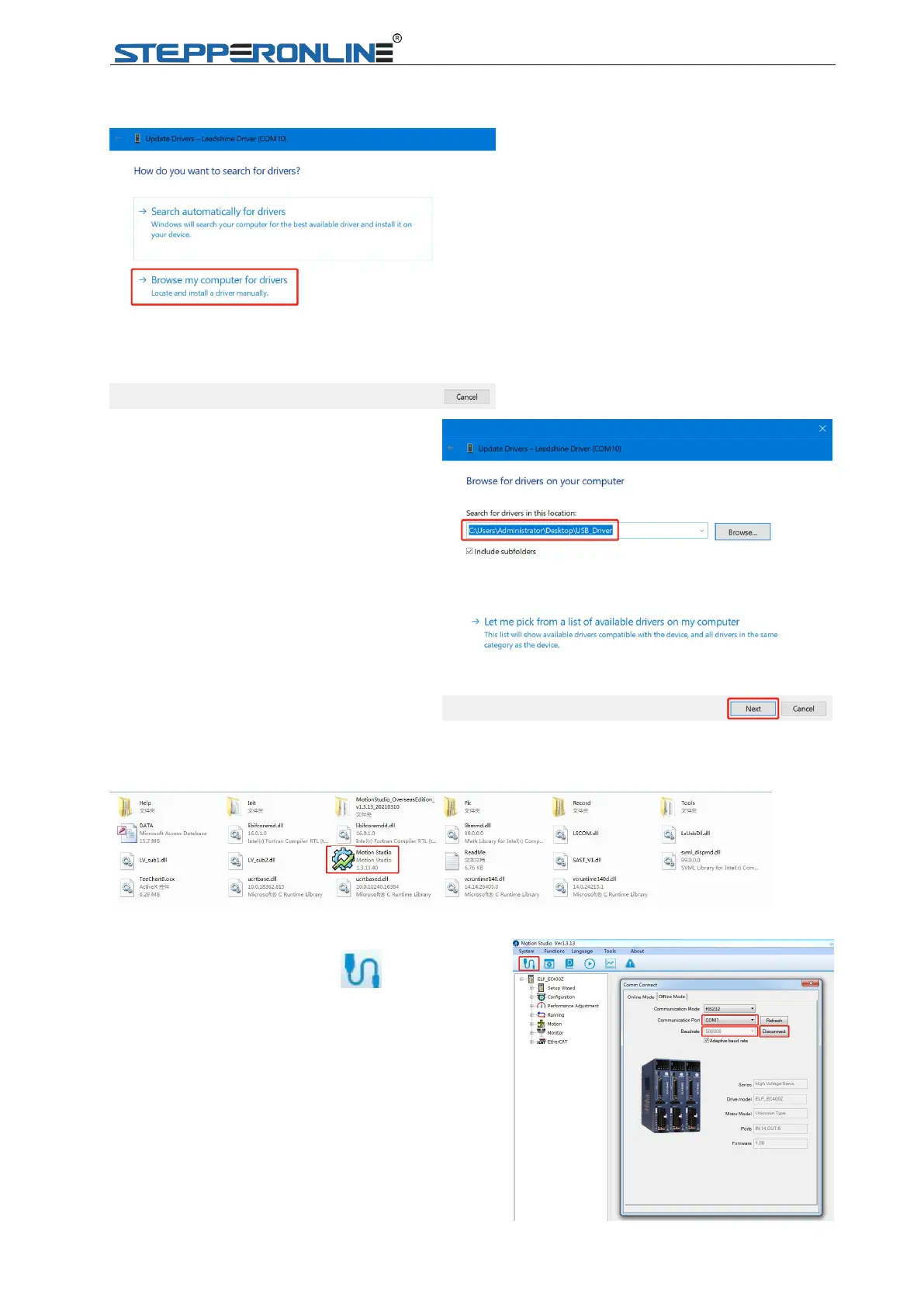
1.1.2.2 Click “Browse my computer for drivers”.
1.1.2.3 Search for drivers in the location
from “USB_Driver” folder in which you
placed the application that
STEPPERONLINE provide, and then
accomplish updating driver.
1.2 JOG Trail
1.2.1 Click icon of Motion Studio to enter in.
1.2.2 Click “Com Connect ”, and select
appropriate communication port and baud
rate to start connecting.
Note: Recommend communication port under
COM10.


 To Next Page