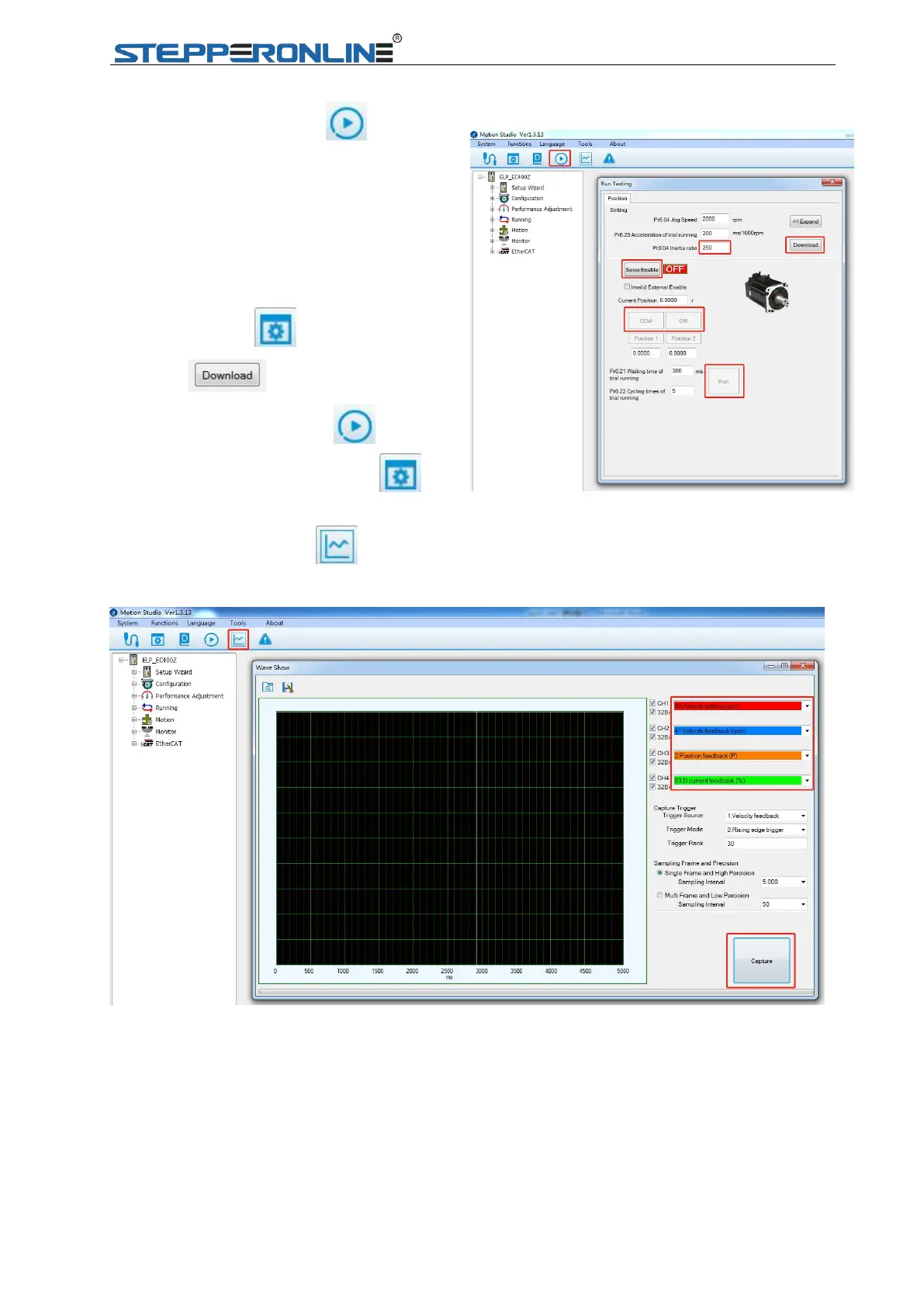
1.2.3 Click “Run Testing ”, and
tune Pr0.04 inertia ratio and Pr0.03
stiffness, click “download” to save
modified parameters, finally click
“Servo Enable” to start JOG trail.
Note: All parameters could be modified from
“Parameter Manage ”; clicking
“Download ” is necessary to modified
parameters under “Run Testing ”, not
necessary under “Parameter Manage ”.


 To Next Page