FUNCTIONS AVAILABLE ONLY IN TV MODE
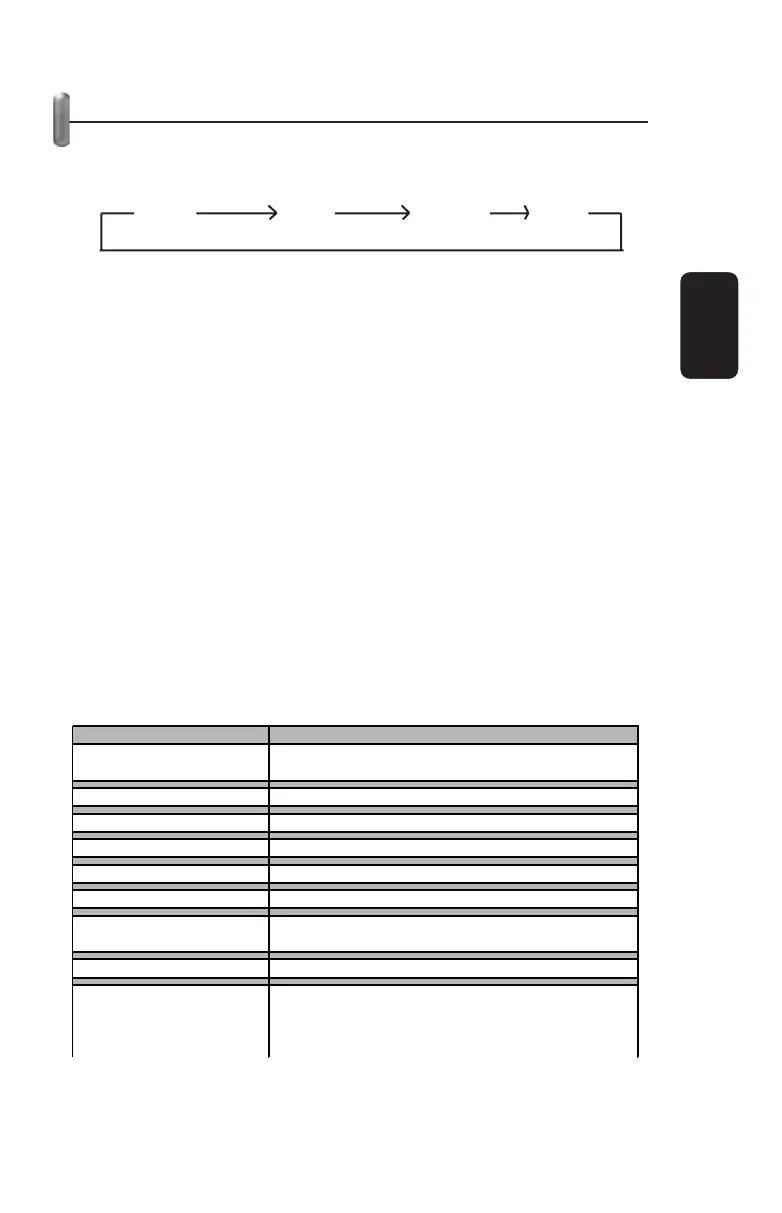
1. Press the “SOURCE” button in order to select the input you
wish to display on your PC monitor. Pressing this button goes
through the 4 available options cyclically.
a) Select TV in order to watch TV from your VHF/UHF antenna.
The “F” connector on your adaptor, signaled as “CABLE IN”,
should be connected to your VHF/UHF antenna.
b) Select CATV in order to watch cable TV. The “F” connector on
your adaptor, signaled as “CABLE IN”, should be connected to
your cable TV system.
c) Select S-Video in order to watch programs from your S-Video
source. (XBOX, video camera, etc.)
d) Select Video in order to watch programs from your video
source. (RCA cables) (Playstation, DVD, etc.)
2. In TV mode, you can also use the remote control in order to
select the channel, adjust the audio volume, and make certain
adjustments with the ADJ button.
a) Pressing the ADJ button will display a 9 option menu on your
monitor. You will be able to select on of these options and press
the arrow buttons on the bottom of your remote control to adjust.
You can confi rm the changes with the OK button.
3. It is not recommended to use the ADJ button in order to make
adjustments unless absolutely necessary.
ENGLISH
ENGLISH-13
AIR TV
CAT
V
S-VIDEO VIDEO
O
tion Descri
tion
Reestablish
Used in order to delete all adjustments made up to this
oint and return to factor
settin
s
Tint
Ad
usts color
Bri
htness
Ad
usts bri
htness level
Contrast
Ad
usts screen contrast
Shade
Ad
usts resolution
Fine Tunin
Ad
usts re
ulation
Auto-Search
Searches and memorizes all available channels
automaticall
Channel Add/Delete
Manuall
add or delete a channel from the memor
Complete channel search
Please use Auto-search function first and only use this
function when Auto-search does not work because all
channels are available. (The execution of this function
takes about 15 minutes.



 To Next Page