ZED Camera Resolution
You can choose the Resolution between 2K / 1080p / 720p and VGA.
SVO Control Panel
This panel allows you to:
• Load an SVO File. You can also directly Drag & Drop the file
• Play/Pause the video
• Select a frame with the slider or with the +/- buttons
• Select the video speed
• Close the file
Settings
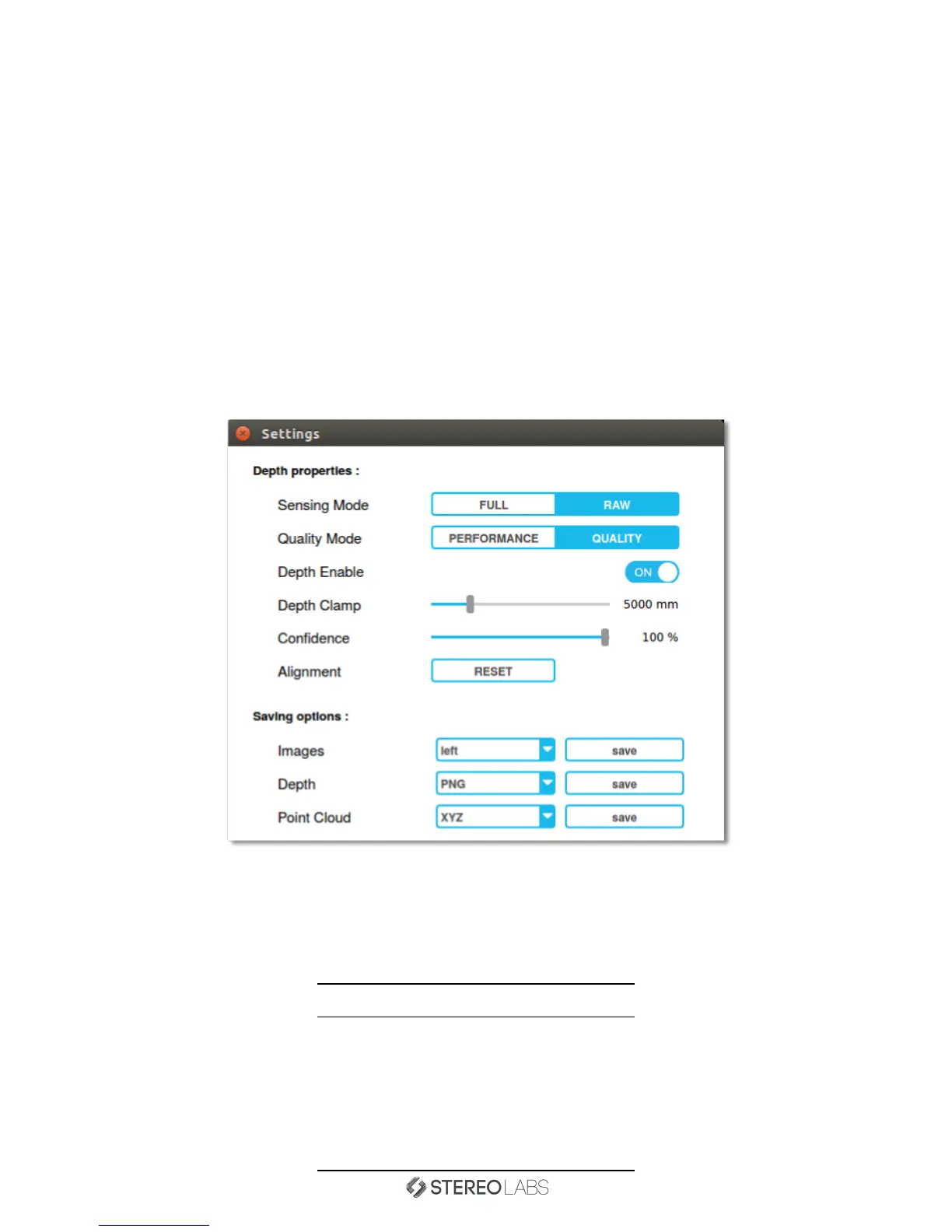
This is the Settings panel:
Several Depth properties are customizable such as Sensing Mode and Quality.
You can also save RGB Images, Depth and Point Cloud in different file formats.
NB: The 3D Point Cloud visualization is not available with FULL Sensing Mode.
Saving options
Images Depth Point Cloud
Left PNG PCD
Right PGM PLY
Anaglyph PFM XYZ
Difference VTK
Side by Side
Overlay
Doc Rev 1.3 - November 7, 2015 11


 To Next Page