Installing the ZED SDK – Linux
Before you start developing applications with the ZED, download and install
CUDA 6.5 toolkit
. Compile and install
OpenCV 2.4.9 : This version can be downloaded here. Tutorial available here.
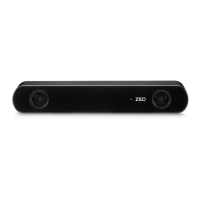
1. Plug your ZED into an USB 3.0 port and make sure the computer has an internet access.
2. In a terminal, launch the installer and follow the instructions :
• ex : user@ubuntu1404:/path/to/sdk$./ZEDSDK-Linux-x86_64-vX.X.run_
Internet access is required since the installer will fetch your camera calibration file from our online database.
•
If you don’t have an internet access at all on your computer you can still use the ZED SDK but depth
measurement won’t be accurate.
•
The
SDK
will be installed in /usr/local/zed/, the installer shouldn’t be launched at root to avoid access right
issues on the installation folder (the “chown” or “chmod” command can resolve the problem if encountered)
Doc Rev 1.3 - November 7, 2015 5


 To Next Page