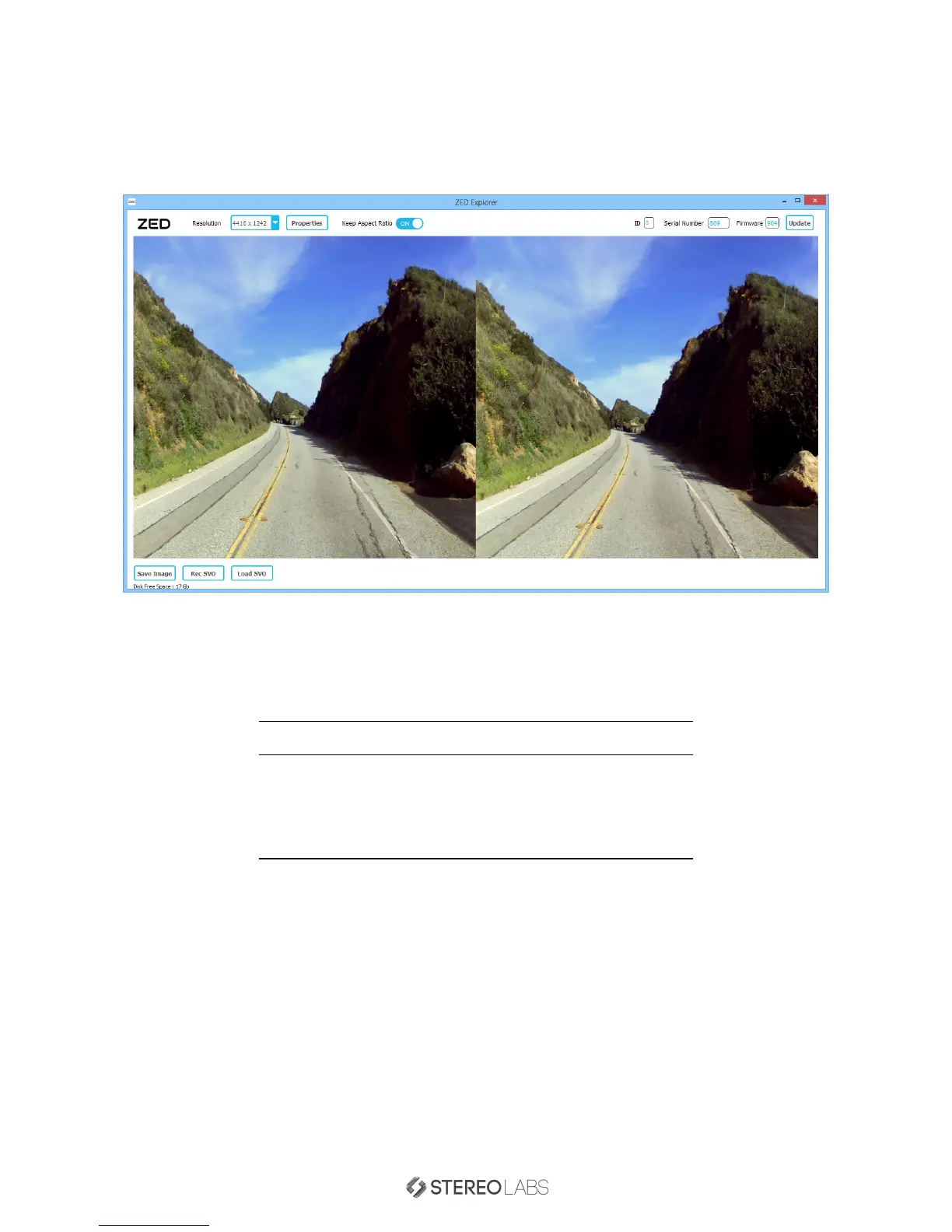
Testing the ZED using the ZED Explorer
The ZED Explorer is an application for ZED video preview and recording. The application also lets you change video
resolution, aspect ratio and camera control parameters. It also allows you to capture full resolution snapshots and
video with the ZED.
Double click on the 3D image to toggle Full Sceen mode.
Video Modes
You can switch between four different video modes:
Video Mode Output Resolution (SBS) Framerate Field of View
2.2K 4416x1242 15fps Wide
1080p 3840x1080 30fps Wide
720p 2560x720 60fps Extra Wide
VGA 1280x480 100fps
Please note that the field of view is linked to the video mode.
Recording Video
The ZED Explorer records feeds in a Stereolabs SVO format that is compatible with the ZED SDK functions. With
SVO files, you can record stereo feeds from the ZED and compute later the depth map for these feeds using the
SDK. You can convert SVO files to Side by Side or 2D+Depth AVI files using the
SVO Decoder
Sample provided in
the SDK.
For further information on how to convert SVO files refer to the dedicated ZED SVO Decoder Sample section.
Doc Rev 1.3 - November 7, 2015 8


 To Next Page