Getting to know your ZED Camera
The ZED Stereo Camera is a lightweight depth sensor based on passive stereovision. It outputs a high resolution
side-by-side video on USB 3.0 that contains two synchronized left and right video streams. Using the ZED SDK,
the graphics processing unit (GPU) from a host machine computes the depth map from the side-by-side video in
real-time (assuming you have a powerful GPU).
The ZED SDK provides three types of data:
• A side by side synchronized 3D RGB video stream (left stream+right stream)
• A depth map computed on the GPU from the video stream (and the disparity map)
• A confidence map which represents a score depicting the confidence of the measure.
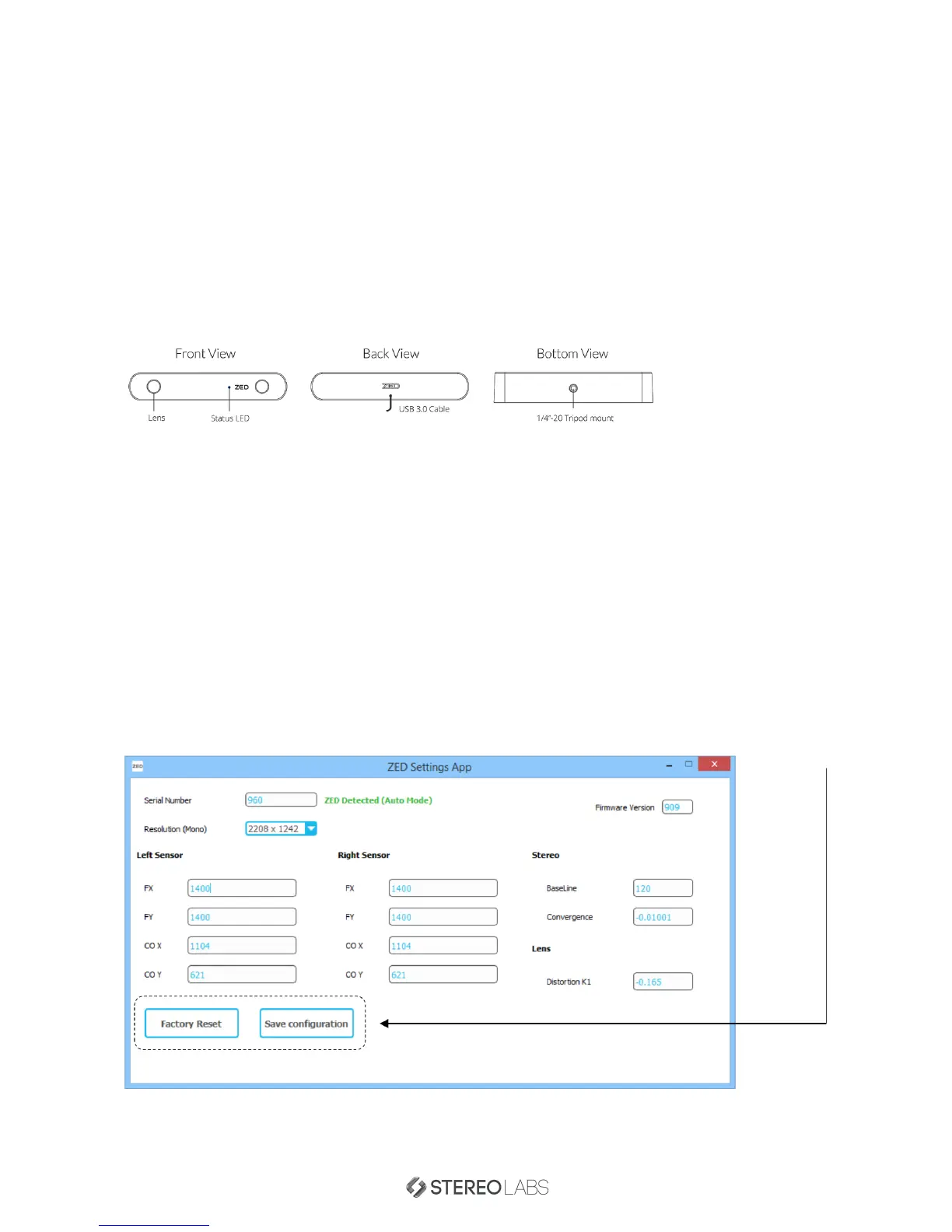
The Status LED shows the stream state of the ZED. When the ZED camera streams images, the LED turns solid
blue.
Camera Calibration Settings
The ZED camera is factory calibrated, meaning you will not have to calibrate the camera each time you power it on.
Each ZED camera has its own calibration data enclosed in a calibration file. This file is fetched automatically from
our online database during the ZED SDK Setup. If you have experienced an issue during setup or you didn’t have
internet access during setup, please follow the following steps to manually fetch your specific calibration file from
our online database.
1. Ensure your computer is connected to the internet.
2. Plug your ZED into a USB 3.0 port
3.
Launch the
‘ZED Settings App’
and click on
‘Factory Reset’
, then
‘Save Configuration’
. The Settings App will
thus fetch your camera calibration file from our online database and load it into the software.
The ZED Settings App lets you control the calibration data for the ZED camera, you can view and tune various
calibration settings for each resolution.
Doc Rev 1.3 - November 7, 2015 6


 To Next Page