EasyManua.ls Logo

Sterling IM30 - Page 8

Default Icon
21 pages
Print Icon
To Next Page IconTo Next Page
To Previous Page IconTo Previous Page
Loading...
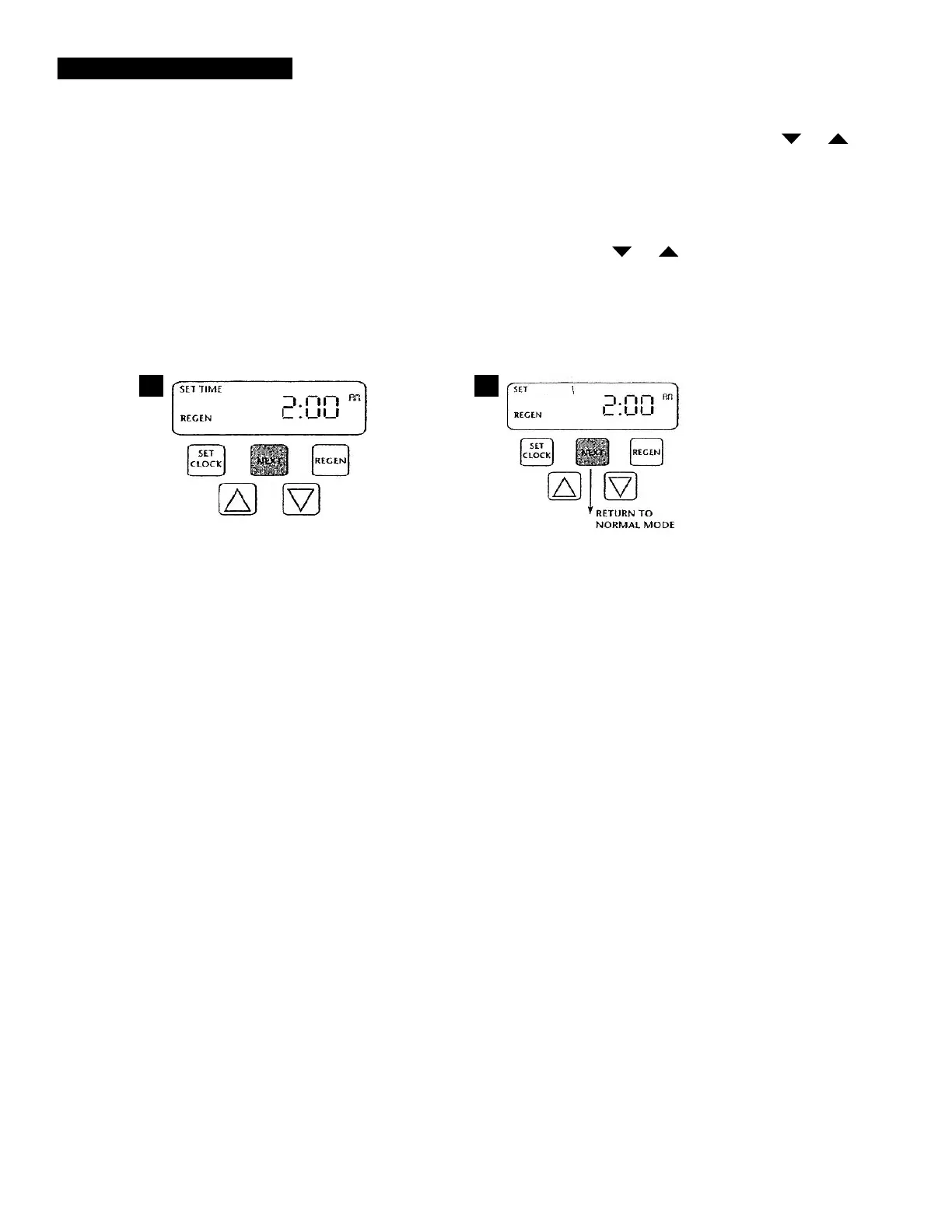
STEP 4 -- Regeneration Hour: The manufacturer has factory set 2:00 a.m. as the default.
This is the hour of day for regeneration and can be reset by using or
buttons. "AM/PM" toggles after 12. The default time is 2:00 a.m. (recommended
for a normal household).
Press NEXT to go to step 5. Press REGEN if you need to return to the previous step.
STEP 5 -- Regeneration Minutes: Set the minutes using or buttons. Press NEXT to
exit Installer Settings. Press REGEN if you need to return to the previous step. To
initiate a manual regeneration immediately, press and hold the REGEN button for
three seconds. The system will begin to regenerate immediately. The control may
be manually stepped through the regeneration cycles by pressing REGEN.
2. Programming cont'd:
4
5

Related product manuals