EasyManua.ls Logo

Stihl iMOW 5.0 - User Manual

Stihl iMOW 5.0
48 pages
Print Icon
To Next Page IconTo Next Page
Loading...
iMOW® 5.0, 6.0, 7.0
2 - 46 Instruction Manual

Other manuals for Stihl iMOW 5.0

Questions and Answers

  • A
    Allison ThorntonAug 5, 2025
    What to do if my Stihl Lawn Mower is not charging?
    • L
      Lisa WallaceAug 5, 2025
      If your Stihl Lawn Mower isn't charging, first ensure that the charging contacts on both the docking station and the mower are clean. You can also follow the instructions in the MY iMOW® app for troubleshooting. If the problem continues, stop attempting to charge the mower, disconnect the power supply, and contact an authorized STIHL dealer.
  • B
    Bobby BrownAug 20, 2025
    Why does my Stihl iMOW 5.0 stop on the way back to the docking station?
    • S
      Stacie GriffinAug 20, 2025
      Your Stihl Lawn Mower might be stopping on its way back to the docking station because the battery is discharged. To address this, ensure the perimeter wire doesn't exceed 850m. Also, optimize the guide wire's routing or install another guide wire within the mowing area. If possible, for sloped mowing areas, position the docking station in the lower area of the slope. You can also manually carry the mower to the docking station for charging.

Summary

Introduction

Guide to Using this Manual

Safety Precautions

Warning symbols

Explains the meaning of various warning symbols used in the manual for safety instructions.

Intended Use

Specifies that the robotic mowers are designed for mowing and mulching grass.

Requirements for the user

Outlines user qualifications, training, and mental/physical ability for safe operation.

Overview

Robot mower

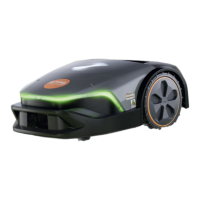
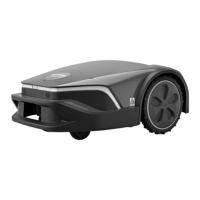
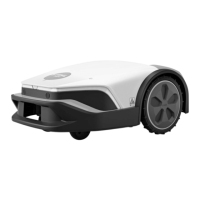
Describes robot mower components: grip surfaces, contacts, sensors, hood, wheels, light strip.

Control panel

Details control panel pushbuttons and rain sensor for operation and status.

Preparing the Mowing Area and Robot Mower for Operation

Planning and preparing mowing areas

Details planning mowing surfaces, considering docking station and wire routing.

Positioning the docking station

Guides on choosing a suitable location and positioning the docking station.

Installing the Perimeter Wire

General requirements

Covers general requirements for routing perimeter and guide wires in the mowing area.

Corners

Advises on routing perimeter wire in corners, including 90° and tapered corners.

Installing Guide Wire

Installing guide wire

Provides instructions for installing the guide wire, including routing and connection.

Electrically connecting the docking station

Connecting perimeter wire and guide wire

Explains how to electrically connect the perimeter and guide wires to the docking station.

Routing the charging cable and connecting the power supply

Guides on routing the charging cable and connecting the power supply.

Charging the Robot Mower

Charging the robotic mower

Explains pushing the mower into the docking station to begin charging.

Energy efficient charging

Describes activating energy-efficient charging mode for the battery.

Operating and Adjusting the Robot Mower

Control Panel

Details the function of pushbuttons on the control panel for basic mower operations.

Starting the Mowing Process

Guides on pressing the START button to initiate mowing.

Stopping the mowing process and locking the robot mower

Explains how to stop the mower and activate the device lock.

Troubleshooting

Troubleshooting the robotic mower

Provides guidance on diagnosing and resolving common faults indicated by the app or light patterns.

Specifications

STIHL IMOW 5.0, 6.0, 7.0 Robotic Mower

Lists technical specifications for the STIHL IMOW® robotic mower models.

Temperature limits

Warns about operating and storing the mower, docking station, and battery outside specified temperature ranges.

Stihl iMOW 5.0 Specifications

General IconGeneral
ModeliMOW 5.0
Battery Voltage18 V
Battery Capacity2.5 Ah
Cutting Height Adjustment20-60 mm
Drive TypeElectric
Battery TypeLithium-ion
Noise Level58 dB(A)
Average Mowing Duration per Battery Charge60 minutes
Charging Time60 minutes
Operating Time60 minutes

Related product manuals