7 SpeedTech Lights, Inc © 2019
STRIKER
®
2
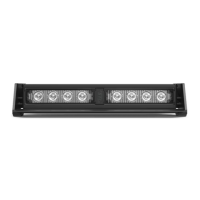
DASH LIGHT
All rights reserved. No part of this Instruction Manual may be reproduced, distributed, transmitted, or otherwise shared in any form or by any means,
including but not limited to photocopying, recording, electronic delivery, .PDF reproduction, or any other means of reproducing all or any part hereof without
the express prior written consent of SpeedTech Lights, Inc, except for non-commercial purposes as permitted by United States copyright law. Customers
of SpeedTech Lights, Inc, may download and print this Instruction Manual for use with products sold to the customer by SpeedTech Lights, Inc. However,
no part of this Instruction Manual may be otherwise or subsequently reproduced, downloaded, disseminated, published, or transferred, in any form or by
any means, except with the prior written consent of SpeedTech Lights, Inc.
Flash Pattern List
• Slow Single Alternating Flash
• Single Alternating Flash
• Fast Single Alternating Flash
• Slow Triple Alternating Flash
• Triple Alternating Flash
• Fast Triple Alternating Flash
• Slow Quad Alternating Flash
• Quad Alternating Flash
• Fast Quad Alternating Flash
• Strobe Alternating Flash
• Single Half/Full Combo
• Single Alternating Accelerating Flash
• Slow/Fast Single Accelerating Flash
• Slow Alternating Accelerating Flash
• Full/Alternating Accelerating Flash
• Slow Single Flash
• Single Flash
• Slow Triple Flash
• Triple Flash
• Pulse Flash
• Fast Pulse Flash
• Single Accelerating Flash
• Side A Steady/Side B Single Flash
• Side B Steady/Side A Single Flash
Flash Pattern Shortcuts
• Hold for 2 seconds to toggle Steady Burn mode.
• Hold for 4 seconds to toggle Random pattern mode.
Synchronization
• Make sure both units that need to be synced together are powered On and ashing on the same pattern.
• Connect the Sync cables of the 2 units to each other.
• Trigger the Flash Pattern changer of both units simultaneously to cycle to the next pattern.
• Power both units O and back On to complete the Sync process.
NOTE: It’s best to connect both units to a single control switch when syncing units together.
About Flash Patterns
• All STL LED products are equipped with a non-volatile memory which will recall the last ash pattern when the product is turned on.
• Follow the wiring diagram to identify the Flash Pattern wire to manually cycle through patterns.


 To Previous Page
 Loading...