Rev: 2018 – 7A ©2018 Store It Cold, LLC 19
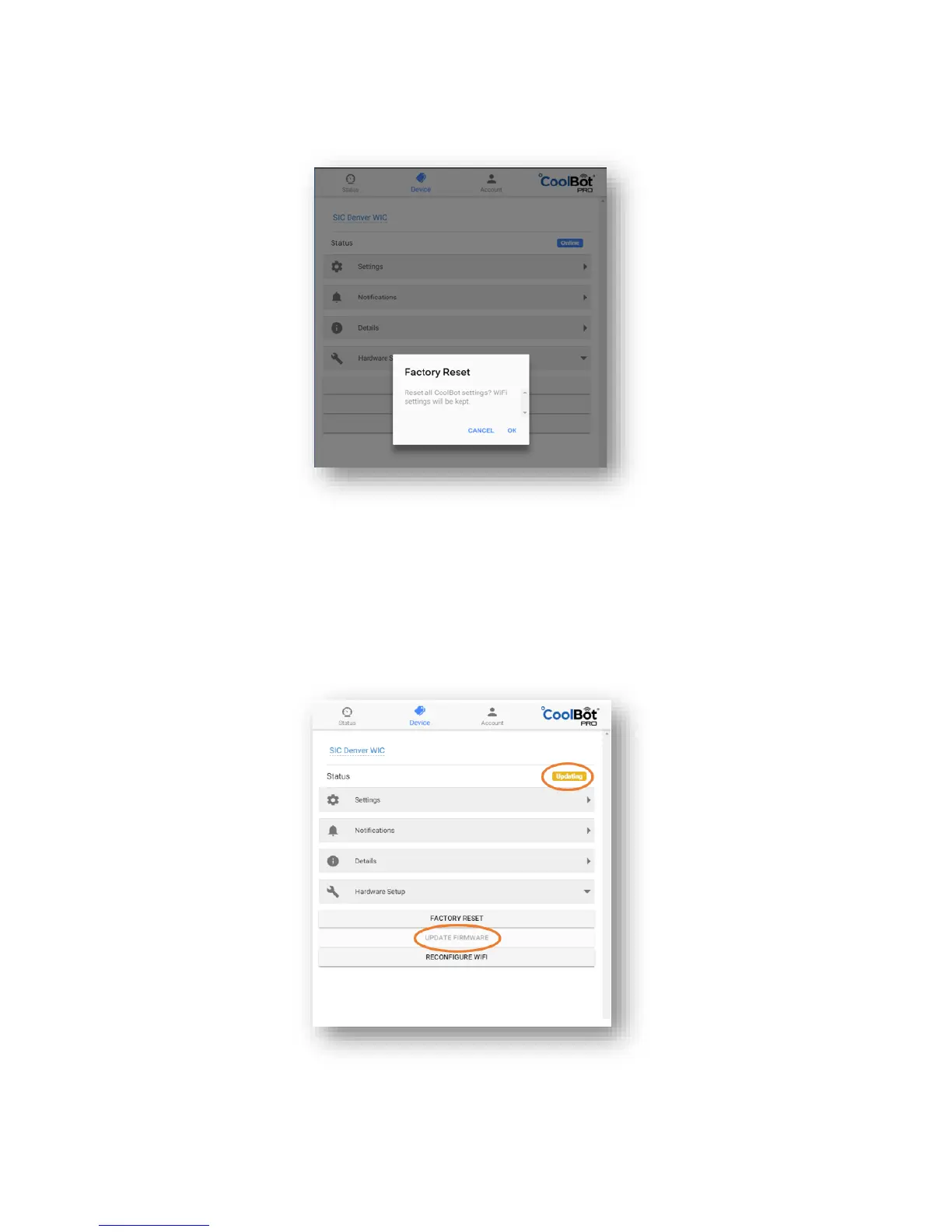
1. Factory Reset – Use this option to reset your CoolBot to Factory Settings (Wi-Fi configuration will be kept)
A confirmation screen will pop before resetting.
2. Update Firmware – This option downloads the latest Firmware version to your CoolBot JUMPER.
The tab will become gray and the Status Icon will indicate “updating” in yellow until done.



 To Next Page