MediaZapper HD 2 Page 8/20
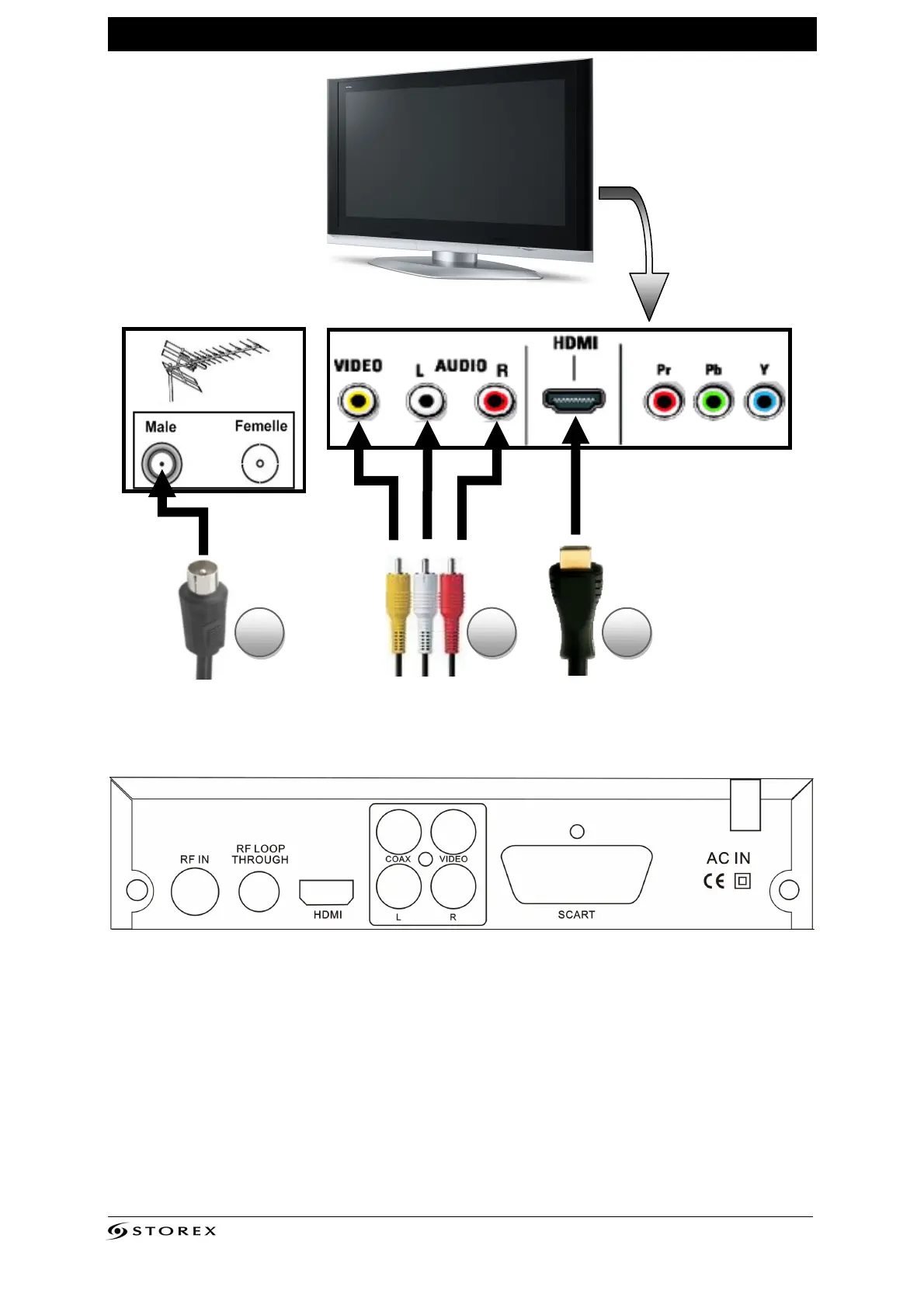
CONNECTING THE MEDIAZAPPER HD 2 TO THETV
1. Connect your MediaZapper HD 2 to the wall antenna socket to receive TNT and TNT HD
channels.
2. Connect the MediaZapper HD 2 to the television with the AV cable (depending upon your
configuration).
3. Connect the MediaZapper HD 2 to the television with the HDMI cable (depending upon
your configuration).
4. Connect the supplied power cord to your wall electrical outlet.
Rear TV panel Wall antenna outlet
1 2 3
Antena cable
AV cable
HDMI cable
1 3
2
4



 To Next Page