The KARL STORZ OR1 FUSION CONTROL (item number WO300) is an appliance designed for use in operating rooms by qualified medical personnel. It serves as a comprehensive system for the documentation of audiovisual and patient data during diagnostic or therapeutic procedures. The device allows for the recording and description of operations for documentation purposes. The audiovisual data recorded and forwarded by the OR1 FUSION CONTROL is intended for examination and information, not primarily for making diagnoses, and is not meant for intraoperative display on the operation monitor.
Function Description:
The OR1 FUSION CONTROL facilitates the implementation and documentation of medical procedures. From its central touchscreen, users can:
- Control non-medical devices.
- Transfer and display video and audio signals from integrated sources to peripheral devices.
- Record, save, edit, forward, and print medical examinations and procedures in the form of stills, video sequences, and audio sequences.
The device's user interface is organized into several application areas:
- Current procedure: Manages and edits current patient data, and documents procedures.
- Patient module: Allows entry of outline data for the procedure, including patient data, surgical team composition, type of procedure, and instruments used. Mandatory fields must be completed for data saving. Data can be entered manually or imported from a DICOM Worklist.
- Checklist module: Provides a safety checklist for surgical procedures. Users can select and edit checklists, with progress indicators showing the editing phases.
- Capture module: Used for taking video recordings, stills, and audio recordings during a procedure. Remote capturing via a foot pedal or camera head is possible even if the module is not on screen. Annotations can be added to captures.
- Edit module: Allows editing of stills and video sequences captured during the procedure, with tabs for Viewer, Stills from videos, and Still editing. In the Viewer, flags can be set, annotations created, and captures printed or deleted. Stills can be created from video sequences.
- Finish module: Saves the created documentation. Data storage can be automatic or manual, and all mandatory fields must be completed.
- Control: Monitors and controls general system functions not directly linked to ongoing procedures.
- Anesthesia Safety module: Monitors intubation.
- Routing module: Specifies target screens for video and image data, and adjusts the room camera. Image compositions (Full-screen, PAP, PIP, Quad) can be selected.
- Medical Device Control – SCB module: Operates integrated medical devices directly on the touchscreen.
- Entertainment module: Operates an iPod (requires a compatible docking station).
- Light module: Operates room lighting, allowing adjustment of light zones and saving lighting presets.
- Room Control modules (1-3): Controls room functions such as lighting, dimming, color selection, air conditioning, ventilation, and blinds.
- Previous procedures: Displays patient documentation and allows completion of documentation for previous procedures.
- Filing cabinet module: Displays created documentation, which can be saved on local drives, network drives, optical data carriers, or USB sticks. Images and videos can be copied to other data carriers and networks (PACS, HIS, AAR).
- Open tasks module: Saves unsaved patient data.
- Communication: Provides optional communication channels.
- StreamConnect module: Transmits and receives surgical procedures via live stream.
- Phone module: Operates phone functions, including starting/ending calls, adding/editing/deleting contacts.
- Unified Communication module: Provides an interface for external communication, transmitting audio and video data from sources like endoscopic and room cameras. Contacts and virtual rooms can be managed, and video conferences can be started/ended.
- Video conference module: Similar to Unified Communication, for video conferences with audio and video data transmission.
- Room To Room module: Offers two options for transmitting audio and video data: "Public" access (one-directional communication to up to 31 rooms) and "Room To Room" access (bidirectional communication between 2 rooms).
Important Technical Specifications:
- Power supply: Operating voltage 100–240 V, operating frequency 50/60 Hz, maximum current consumption 5–2 A.
- Electrical protection class: I.
- Degree of protection acc. to IEC 60259: IPX0.
- Housing dimensions (L x H x W): 355 x 74.5 x 305 mm.
- Weight: 6 kg.
- System: Hard drive capacity 2 TB, Random Access Memory (RAM) 16 GB, CPU Intel® Core™ i7-6700@3.4 GHz, Operating system Windows® 10 Embedded.
- Operating mode: Continuous operation.
- Lithium battery: Contains a lithium battery that requires regular checking and replacement.
Usage Features:
- User Interface: Features a main menu, display area for messages, patient data, and application areas. Navigation bar allows access to modules.
- Onscreen keyboard: Available for data entry when fields are being edited.
- Volume control: Adjusts the output level of active speakers or headphones.
- Presets: Allows saving and recalling settings from Capture, Routing, and Light modules for specific procedures and users.
- Image compositions: Supports Full-screen, Picture-in-Picture (PIP), Picture-and-Picture (PAP), and Quad display modes for target monitors.
- Access status: Can be set to Public, Private, or Room To Room, affecting remote access queries and communication capabilities.
Maintenance Features:
- Maintenance intervals: Annual safety tests and lithium battery replacement every 4 years, to be performed by KARL STORZ service technicians.
- Repair: Faulty devices should be returned to KARL STORZ or authorized companies for repair. Data backup and deletion are recommended before returning a device.
- Disposal: The product complies with the WEEE Directive and must be disposed of at suitable collection points for electrical and electronic equipment, in accordance with national laws.
Safety and Warnings:
- General: Users must read and follow all safety notes and warnings in the instructions for use and reprocessing instructions to prevent injury or product damage.
- Serious incidents: Any serious incident (death, serious deterioration in medical condition, serious threat to public health) must be reported to the manufacturer and appropriate authority.
- Handling: Only qualified medical personnel should operate the device. Products must be checked for functionality and damage before and after each use. Damaged products should not be used.
- Sterility: The product is unsterile upon delivery and must be reprocessed according to instructions before initial and subsequent use.
- Combinations: Only approved devices and components with standardized interfaces should be combined with the product. Equipment tests must be performed before use.
- Electrical current: Improper power supply can cause electric shock. Installation and servicing must be done by authorized electricians. The product must be operated with the specified line voltage and connected to a properly installed socket with protective earth grounding.
- Liquid ingress: Liquids near or on the product can cause damage and injury.
- Explosion/Fire risk: The product must not be operated in oxygenated or explosive atmospheres, or in environments with combustible gases or liquids.
- Ambient conditions: The product must be operated within prescribed ambient conditions, with sufficient air circulation, and out of reach of patients.
- Product failure: A backup system (direct line between endoscopic camera and monitor) should always be ready.
- Electromagnetic interference: Special precautions regarding electromagnetic compatibility must be observed. The product should not be used near magnetic resonance tomographs or other devices emitting strong electromagnetic radiation.
- High temperature: In-wall installations are monitored for temperature, and the system will notify users if a certain temperature is exceeded, potentially leading to automatic shutdown.
- Image display/transmission: Recordings and image previews are for documentation only, not diagnostic or therapeutic purposes. Diagnostic images should be viewed on the connected device's monitor.
- Data loss: Data may be lost during software/hardware operations or system recovery. Regular data backup is crucial. The software should be shut down properly via the user interface or rocker switch.

 Need help?
 General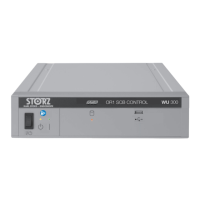










 To Next Page