
 Need help?
Do you have a question about the Storz TL410US and is the answer not in the manual?
Describes the standby button for power control.
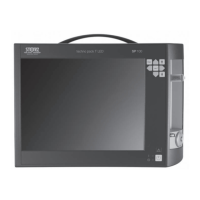
Describes the touch screen interface for operation.
Describes the light outlet component.
Describes the connector for a footswitch.
Describes the potential equalization connector.
Describes the inactive external sync interface.
Describes the power cord socket.
Describes the line fuses and fuse holder.
Describes the USB connector.
Describes the KS HIVE connection.
Explains various symbols found on the device.
Explains symbols used on labels and packaging.
Explains symbols used in the device's user interface.
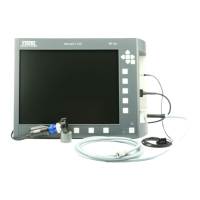
Describes the KARL STORZ D-Light C PDD System components.
Describes the features and functions of the power LED saphira.
Explains the meaning of Warning, Caution, and Note symbols.
Specifies how the device should be used normally.
Describes the specific intended applications of the device.
Lists the conditions and procedures for which the device is indicated.
Lists conditions where the device should not be used.
Specifies the required qualifications for operating the device.
Discusses patient suitability for the device.
Outlines the necessary skills and attributes for a user.
Details the environmental and usage conditions for the device.
Describes the correct user positioning during operation.
Outlines safety measures for device installation.
Lists the built-in safety features of the device.
Explains the device's self-test procedure.
Describes the Saphira Rigid PDD Cystoscope System configuration.
Instructions for unpacking the device and its accessories.
Lists the essential components included with the device.
Provides steps for installing the device.
Details how to connect the ground line.
Instructions for connecting the power cord.
Explains the connection of the KS HIVE component.
Instructions for connecting the light cable to the device.
Details connecting the light cable to the endoscope.
Instructions for connecting the footswitch.
Discusses the various applications of the light source.
Steps to turn on the light source.
How to turn the light source on and off.
How to use automatic light intensity regulation.
How to use manual light intensity regulation.
How to change the light mode (white light/PDD).
Instructions for safely switching off and decommissioning the device.
Accessing and navigating the device settings menu.
Information related to service access and password protection.
How to change the device's display language.
Viewing saved information and alarms from the device.
Accessing device-specific information like serial number and software version.
Adjusting the device's acoustic signals.
Step-by-step guide to replacing fuses.
General warnings and procedures for reprocessing devices.
Critical safety warnings related to device reprocessing.
Instructions for cleaning and disinfecting the device.
Procedures for routine maintenance and safety checks.
General notes on preventive maintenance.
Details required safety checks and inspections.
Guidelines for servicing and repair of the device.
Information on proper disposal of the device.
Contact information and procedures for device repair.
Measures for preventing infection during device handling.
Conditions affecting KARL STORZ's liability.
Details regarding the manufacturer's warranty.
Explains the different types of information signals from the device.
How information signals are configured and prioritized.
Description of visual information signals displayed by the device.
Details about the acoustic signals emitted by the device.
General characteristics of information signals.
Describes the availability signal after a successful self-test.
Solutions for common device issues and errors.
Provides detailed technical specifications like voltage, power, dimensions.
Lists compliance with relevant IEC and ANSI standards.
Information on obtaining additional technical documentation.
Details on software licensing and ownership.
Lists specific spare parts available for the device.
Lists recommended accessories for use with the device.
 General
| Brand | Storz |
|---|---|
| Model | TL410US |
| Category | Medical Equipment |
| Language | English |





 To Next Page