EasyManua.ls Logo

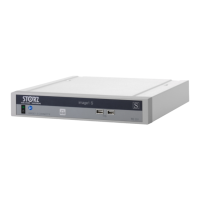
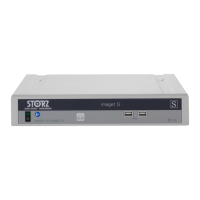
Storz IMAGE1 S TC200 - User Manual

Storz IMAGE1 S TC200
40 pages
Print Icon
To Next Page IconTo Next Page
Loading...
IMAGE1 S
TC200, TC300, TC301
Service Manual
Technical
Description and
Service Instructions
for
IMAGE1 S
TC200, TC300, TC301, TC302
Order No. SV3739
May 2014-0.0 SM-TC-13-V1.3

Questions and Answers

  • S
    Stephanie HinesAug 3, 2025
    What to do if there is no picture on my Storz Medical Equipment?
    • H
      henrymullinsAug 3, 2025
      If there's no picture on your Storz Medical Equipment, first check the video cable connection between the CCU and the monitor, and replace the cables if necessary. If the issue persists, the camera electronics may be faulty, requiring repair. Also, ensure that the monitor is functioning correctly.
  • J
    Jamie SuttonAug 7, 2025
    Why am I seeing color distortions on my Storz Medical Equipment?
    • K
      kramerpaulAug 7, 2025
      If you're experiencing color distortions with your Storz Medical Equipment, begin by repeating the white balance adjustment. If the problem continues, readjust the color settings on your monitor, referring to its instruction manual for guidance. If the issue still persists, the monitor or camera might be defective and require repair.
  • K
    Kenneth GatesAug 11, 2025
    What causes inaccurate color reproduction in Storz IMAGE1 S TC200 Medical Equipment?
    • R
      Robert ChapmanAug 11, 2025
      If the color reproduction is inaccurate on your Storz Medical Equipment, start by repeating the white balance adjustment. If the issue persists, inspect the monitor using its instruction manual to properly adjust the color settings. If problems continue, the monitor or camera may be defective and require repair.
  • A
    armstrongjenniferAug 15, 2025
    How to fix a Storz IMAGE1 S TC200 camera system that will not switch on?
    • R
      Robert MendezAug 15, 2025
      If the Storz Medical Equipment camera system won't switch on, first, ensure that the wall outlet is providing electricity. If there is power, check that the power cord is securely connected to the power cord connector. Push the power cord firmly into the connector to ensure a proper connection.
  • D
    Daniel PopeAug 19, 2025
    Why is the picture dark on my Storz Medical Equipment?
    • D
      Deanna MurrayAug 19, 2025
      A dark picture on your Storz Medical Equipment could be due to insufficient light. This may be caused by a soiled lens or a defective light cable, including broken fibers in the videoscope light cable. To resolve this, clean the endoscope. If the issue persists, consider exchanging the endoscope.
  • N
    ncastroAug 25, 2025
    How to clean blurred picture, streaks, smears on Storz IMAGE1 S TC200?
    • D
      Donna ColemanAug 25, 2025
      If you're seeing a blurred picture, streaks, or smears on your Storz Medical Equipment, the optics or lens of the endoscope or camera may be soiled. Clean them carefully using a cotton swab and alcohol solution.
  • T
    Tiffany CantuAug 28, 2025
    What to do if color reproduction changes on Storz IMAGE1 S TC200?
    • N
      Nancy HallAug 28, 2025
      If the color reproduction changes on your Storz Medical Equipment, it could be that the endoscope video cable is broken. In this case, send the equipment in for repair to have the camera head cable replaced.

Summary

General Information

Instruction Manual

Physical Design

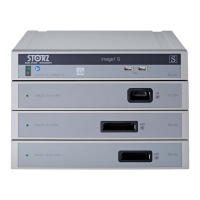
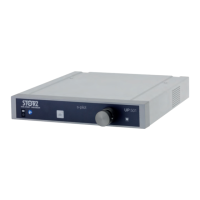
IMAGE1 S System Drawings

Drawings of IMAGE1 S CONNECT, H3-LINK, X-LINK, and D3-LINK models.

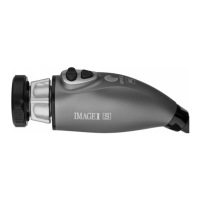
IMAGE1 S Camera Head Drawings

Sectional views of H3-Z, H3-ZI, H3-P, and H3-ZA camera heads.

Descriptions of Operation and Circuit Diagrams

Description of Operation

Explains the IMAGE1 S system's functionality, components, and features.

Troubleshooting

Provides guidance for diagnosing and resolving common issues with the IMAGE1 S system.

Technical Data

Lists detailed specifications and technical parameters for the IMAGE1 S system.

Maintenance and Safety Checks

Safety Checks

Details recommended annual safety checks for the IMAGE1 S system.

Maintenance and Repair Procedures

Covers safety devices, maintenance, servicing, repair, fuse replacement, and cleaning protocols.

Modifications and Supplements

Appendix

Storz IMAGE1 S TC200 Specifications

General IconGeneral
CategoryMedical Imaging System
ManufacturerKarl Storz
ModelIMAGE1 S TC200
Power Supply100-240 V AC, 50/60 Hz
Resolution1920 x 1080 pixels
Video OutputDVI
Light SourceLED light source compatible
DisplayExternal monitor required
Special FeaturesModular camera system, Enhanced color reproduction

Related product manuals