12
OPERATION GUIDE
2-450174-030A
WWW.VARI-LITE.COM
VISION.NET
Vision.Net is a comprehensive family of control stations designed for architectural applications needing a
simple, flexible control solution with minimal installation and cabling costs. These control stations can access,
modify, and recall lighting levels stored in the rack processor module. Vision.Net control station features and
options include:
• Control up to 255 separate rooms, with up to 125 channels per room
• 32 preset scenes available for each room
• Manual sliders (3, 6, 9, or 15 sliders per station) for direct control of individual circuits
• Record facility for saving slider levels for future push-button recall
• Programmable fade times between 0 and 60 minutes from Vision.Net control stations
• Record lockout facility for playback-only operation
• Preset stations available from 1-button up to 8-buttons
• Audio-visual interface
• Room combine stations for room partitioning
• Photo sensor and motion sensor
PROGRAMMING THE DIMMER RACK
CONTROLS AND DISPLAYS
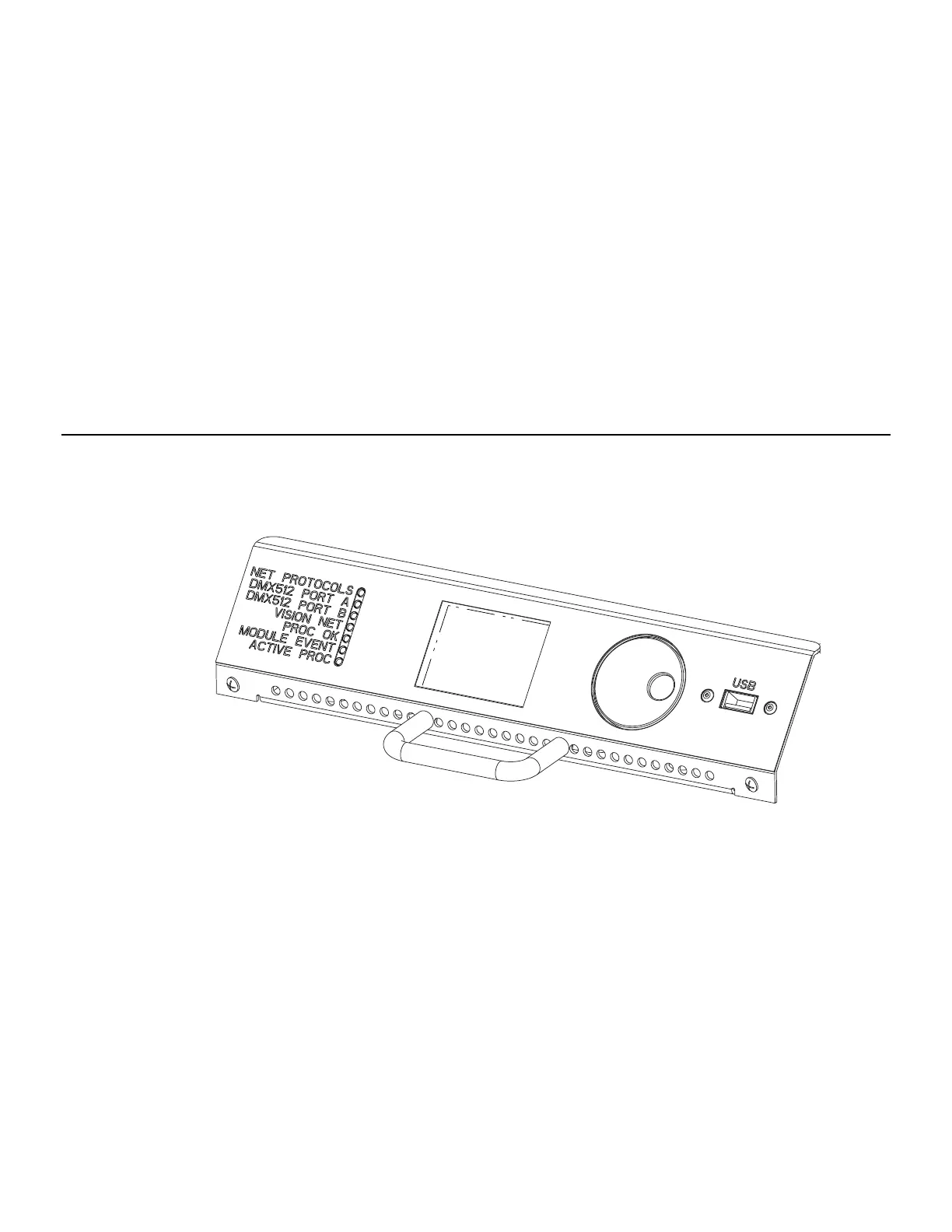
You can access the range of C21 / EC21 dimmer rack programmable features using the Jog Wheel and LCD dis-
play. Menus are shown in English.
FIGURE 8. RACK PROCESSOR MODULE FRONT PANEL
LOCK MENU
To avoid accidental or unauthorized use, you can lock the menu. When Lock Menu is enabled, the menu is
locked immediately. When disabled, the menu is unlocked.
To unlock the Menu:
Press the jog wheel for >10 seconds. At prompt, enter passcode to unlock the menu.
NAVIGATING THE MENU
Turning the jog wheel clockwise is considered to be a ‘forward’ motion, and counter-clockwise (anti-clockwise)
is a ‘backward’ motion. Move the jog wheel forward to advance through the menu or increase selected value.
Move the jog wheel backward to reverse through the menu or decrease a selected value.
Pressing the knob is considered to be a ‘select’ command. Selecting a menu will drill down into a sub-menu, and
selecting a value will toggle the ability to edit it. While a value is editable it will appear as red text, and when
not-editable it will appear with an underline as a cursor.


 To Next Page