User Manual for A5-E0804
For more information, please visit our website www.en.streamax.com
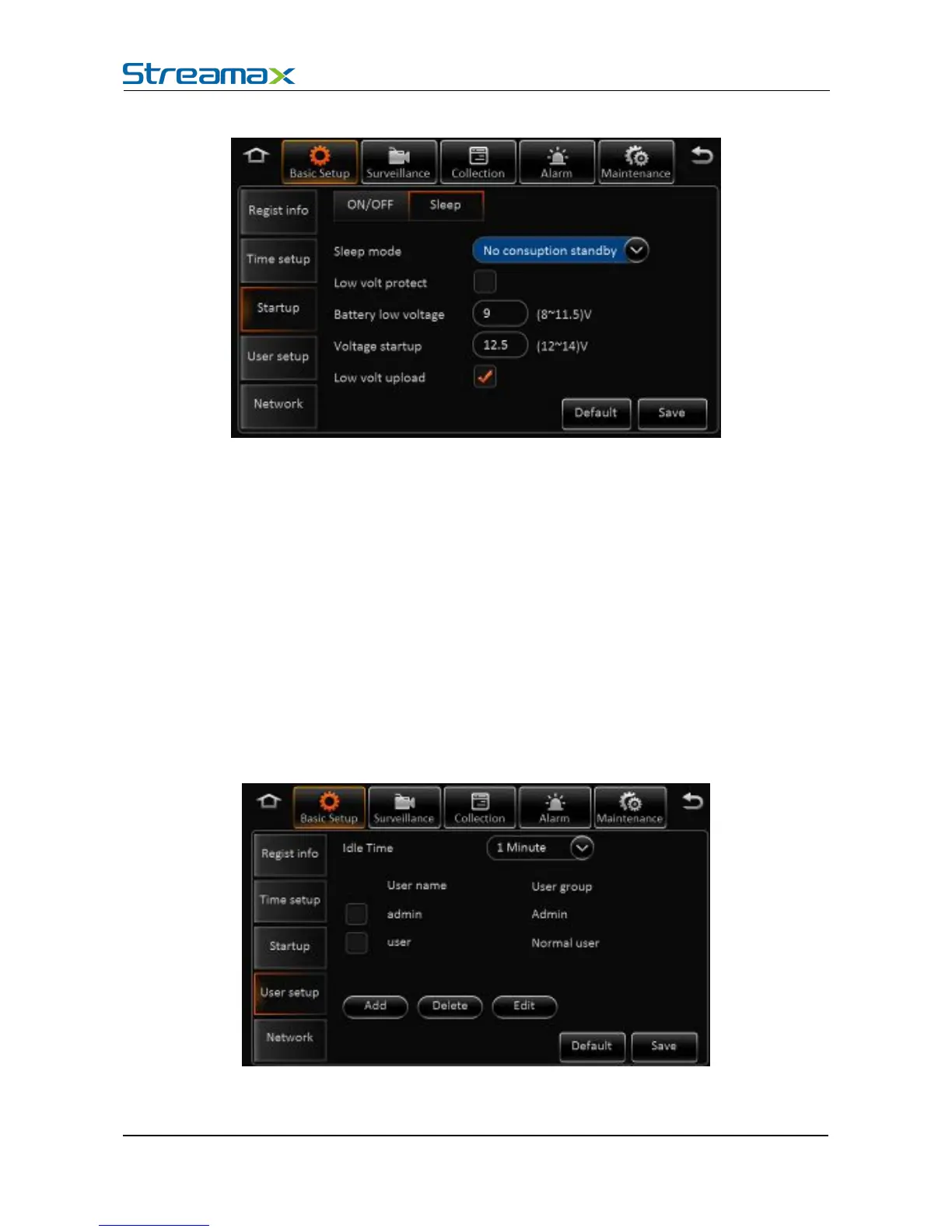
Sleep Mode: Currently, there is only no consumption standby mode available.
Low Voltage Protection: Enabling the low voltage shutdown protection mode selected.
Low Battery Protection: Protect the vehicle battery. When consistently below the standard
value, it will countdown shutdown. As for a 12V vehicle , the default is 9V, while a 24V vehicle
is 21V.
Recovery boot voltage values: low-voltage protection, when the battery voltage is
consistently greater than the standard value, it will automatically boot. As for a 12V vehicle , the
default is 12.5V, while a 24V vehicle is 24.5V.
Low voltage will be reported or not: The low-voltage protection will be reported to the
platform after it is ticked.
In the basic settings, click user settings, enter the following interface, user can enter setting menu.
User name: The default ones are admin and user.
User Group: It is divided into administrator and ordinary user.



 To Next Page