User Manual for A5-E0804
For more information, please visit our website www.en.streamax.com
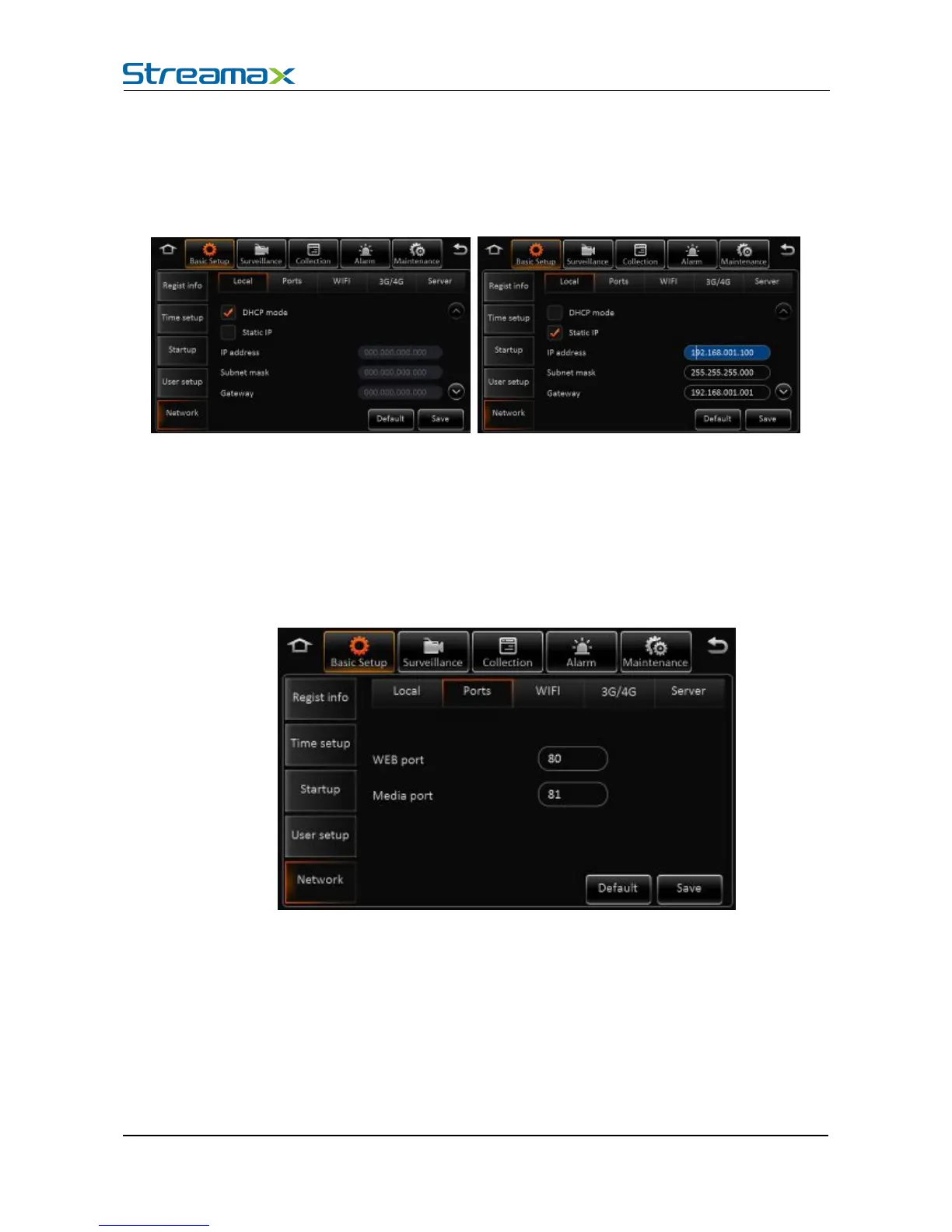
In the basic settings, click Network Settings, enter the following interface, user can set network
parameters.
Network Settings - wired network and port interface description
Automatically obtain IP: Dynamic acquisition, DNS can also be statically configured to
Use the following IP: Static IP, need to use a static DNS.
Remark:
Switch from static IP to automatically obtain IP mode, it can display dynamic IP, but the static IP
parameters will not be covered, to restore the last saved static IP after switching back.
Network Settings - Port Interface Description:
WEB port No.: The default is 80, will be used in IE to access this port.
Media Port No.: The default is 81, the forwarding server will use this port.
Net working settings- Instruction of wifi network:



 To Next Page