Side 11 av 12
// INSTALLATION GUIDE C6D
Import configuration
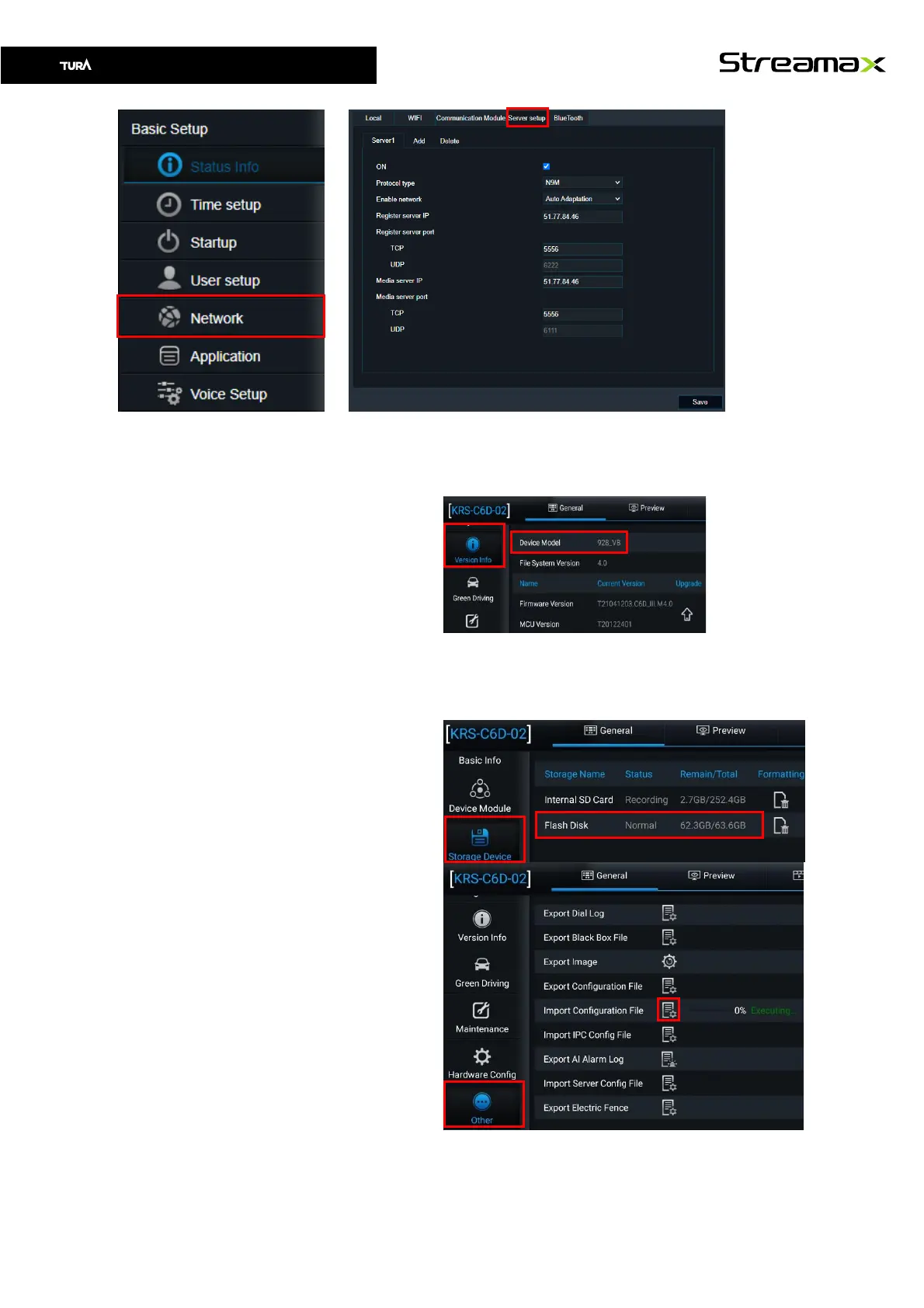
1. Login using EasyCheck app
2. Navigate to Version Info and
remember Device Model
3. Copy config file into
“ConfigFile\”Device Model”
folder on the SD card.
(example:
\ConfigFile\928_VB)
4. Connect EasyCheck with SD
card inside to your device.
5. Make sure that SD card is
mounted before going to
next step. If Flash Disk is
missing and SD card is
connected, try to reboot the
device.
6. Import configuration file by
navigate to Other and click
on the icon for Import
Configuration file



 To Next Page