Side 6 av 12
// INSTALLATION GUIDE C6D
Installation
Load SIM and SD card
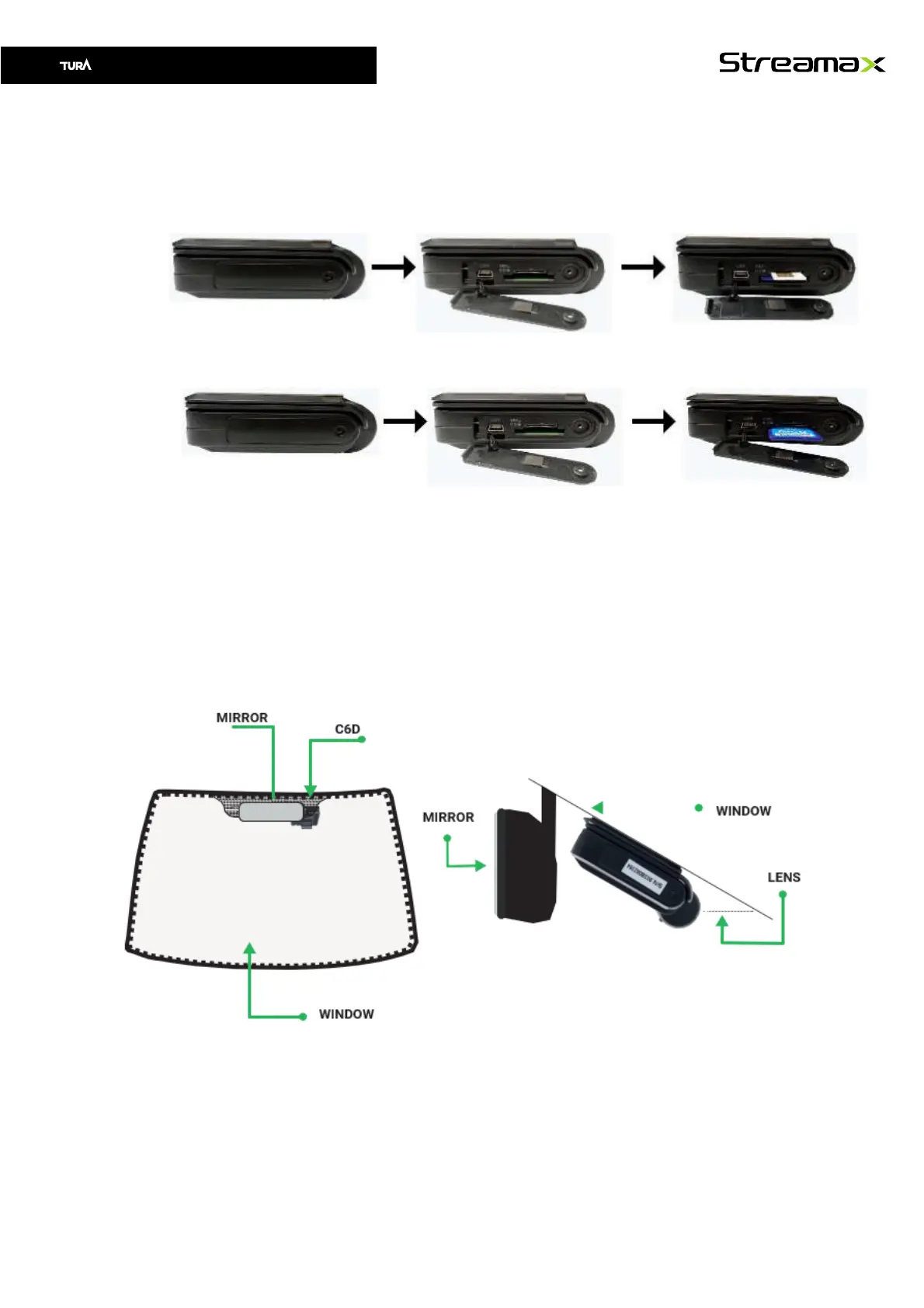
1. Use a T8 Torx wrench to turn the screw on the right-side panel of the C6D
2. Open the panel and load the SIM card as shown below
3. According to he order requirements, if the SD card is a non-standard material, you
need to load the SD card as shown below
4. After loading the SIM and SD card, re-close the panel and tighten the screws.
Select installation location front camera
Main unit (C6D) is placed on right side of the mirror, as shown below. Be careful so the
lens do not see the „tinted“ area. Use live view in CEIBA 3 mobile app adjust angle before
attaching the camera permanently. If you do not have an account please contact Tura
Scandinavia AB.



 To Next Page