Side 9 av 12
// INSTALLATION GUIDE C6D
How to’s
Connect to C6D
View camera angle with Ceiba 3 mobile app
1. Google Play:
https://play.google.com/store/apps/details?id=com.googlemap.ceibaii
2. Login
3. Tap car icon in top left corner
4. Tap on the name of the desired device
5. Tap video icon in lower right corner
Local
1. Start up your C6D device
2. On start-up, C6D will broadcast an open WiFi hotspot, connect to it using your
phone or tablet.
3. Launch EasyCheck app and log in
a. Google Play
https://play.google.com/store/apps/details?id=com.streamaxtech.mdvr.d
irect
Remote
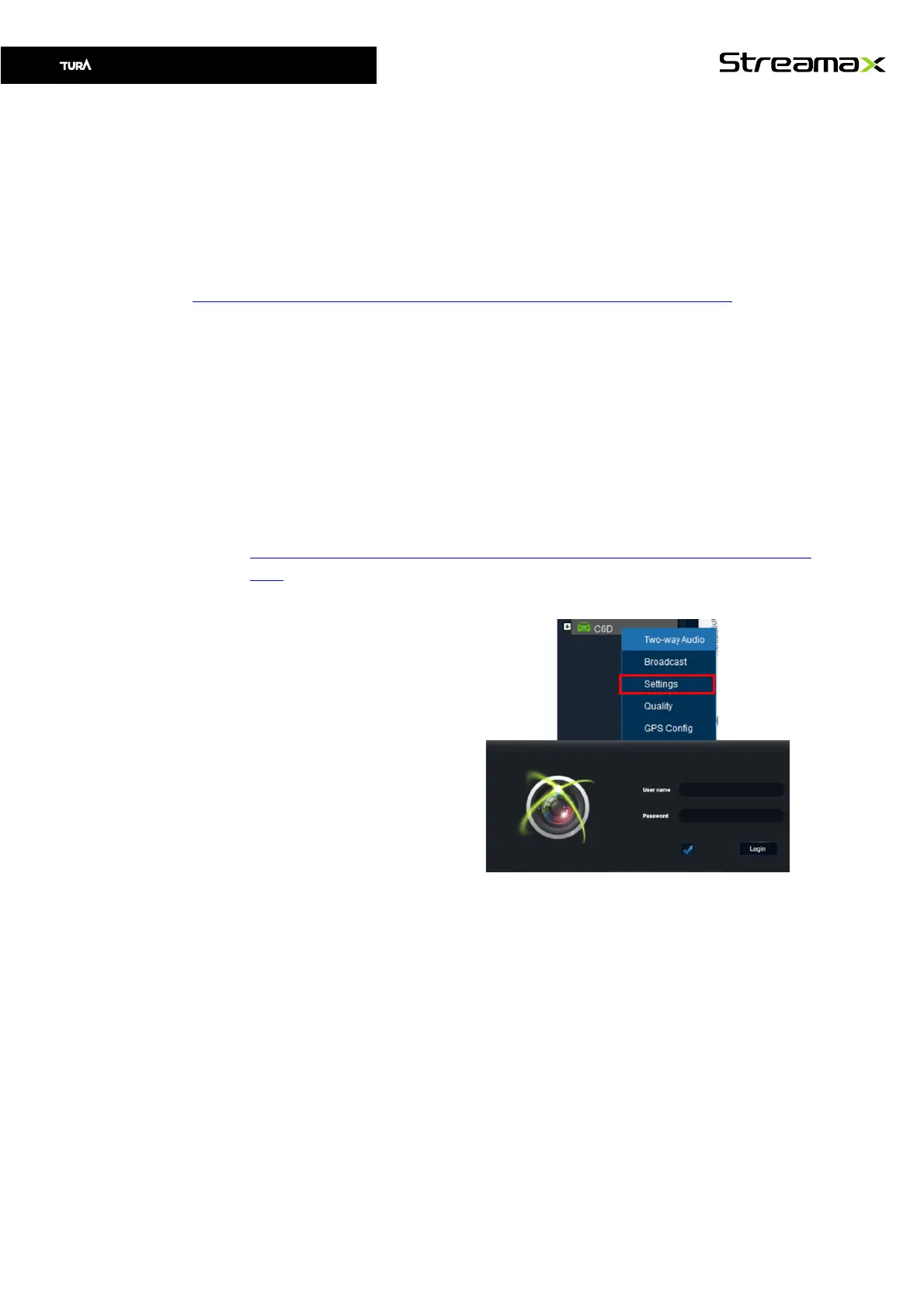
1. Open Ceiba Desktop
2. Right click on the desired
vehicle
3. Choose Settings
Your default Internet browser
should now open with a device
login screen
Set Vehicle Plate
During installation registration number shall be set under Basic Setup -> Status Info ->
Regist info -> Vehicle Plate



 To Next Page